iconBIT XDS8003D User Manual! English
16
3. Main Functions
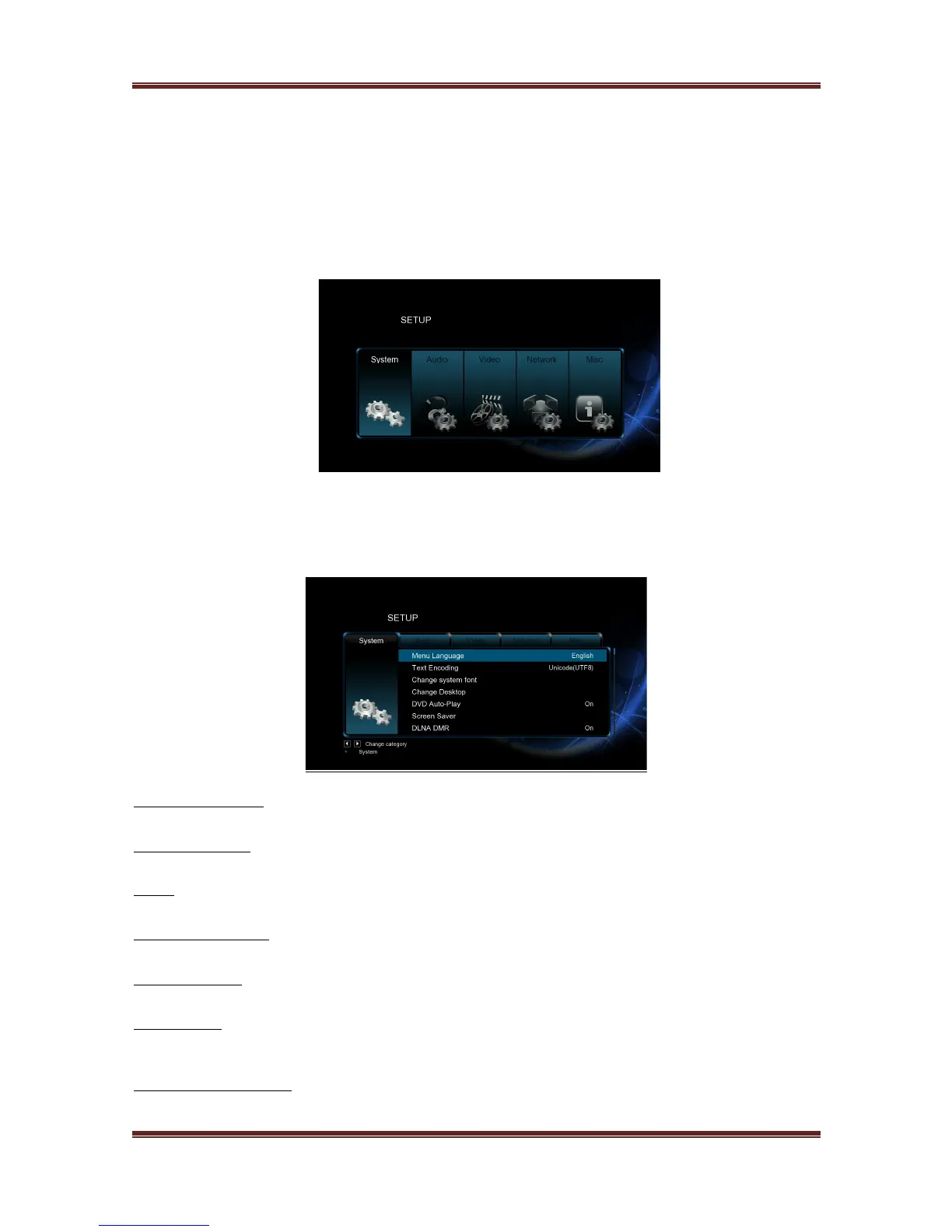
3.1 Setup Menu
The Setup menu allows you to personalize and configure the preferences for your player.
To select a Setup option:
- Select the Setup icon on the home screen, or press Setup button on the remote control.
- Use the Left/Right navigational buttons to select an option, and then press OK.
3.1.1 Changing System Settings
Use this menu to configure system settings.
Menu Language
- Select to choose the OSD (On-Screen Display) language.
Text Encoding
- Select to set the text encoding option (subtitle display).
Time
- Select to set system time, you must choose the right time zone before time setting.
R/RW Auto-Play
- Select to turn on/off DVD auto-play.
Screen Saver
- Here you can set the timing of screen saver and change screen saver.
DLNA DMR
- Digital Media Renderer, can play content received from a digital media controller
(DMC), which will find content from a digital media server (DMS).
DLNA Device Name
- Select to name DLNA DMR.



 To Next Page