iconBIT XDS8003D User Manual! English
29
3.5.4.2 Sharing Media on your PC
The Media Sharing feature of Windows Media Player lets you enjoy the contents of your
Windows Media Player library from anywhere in your home.
- Open Windows Media Player, click Organize ! Manage Libraries to add or remove
media files from the library.
- Click Stream ! More streaming options, then you can allow or deny devices to
access the media library. Click Allow to authorize your player.
3.5.4.3 Streaming Media on your Player
- Connect your player to the home network (LAN or WLAN).
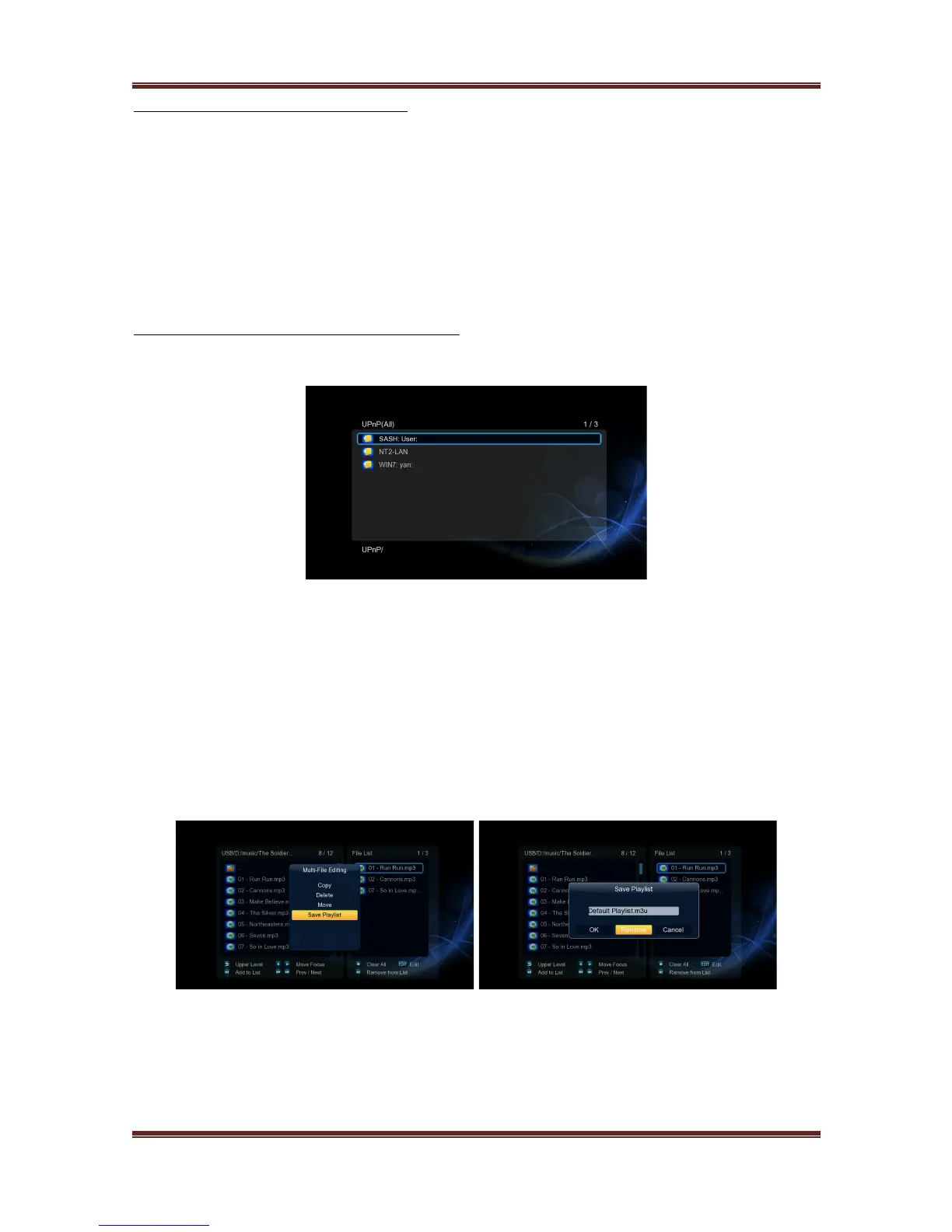
- Visit Files Manager ! UPnP menu on the player, select the UPnP-server, and press OK.
- Then you can browse the media library shared by Windows Media Player.
Note:
• Make sure your player and your computer are on the same local area network and
subnet.
• Firewalls may prevent your player to communicating with your computer. Please open
the ports manually and add your player to the ‘trusted’ list, or disable the firewall
temporarily.
3.6 Music Playlist & Photo Album Management
Step 1, Enter into Music/Photo interface.
Step 2, Press Copy button to enter file selecting menu, follow the on-screen information to
finish creating music playlist or photo album.
Step 3, Enter Music/Photo interface, press Menu button and choose Playlists/ Albums
to view your music playlists/ photo albums.



 To Next Page