iconBIT XDS8003D User Manual! English
6
2. About the Player
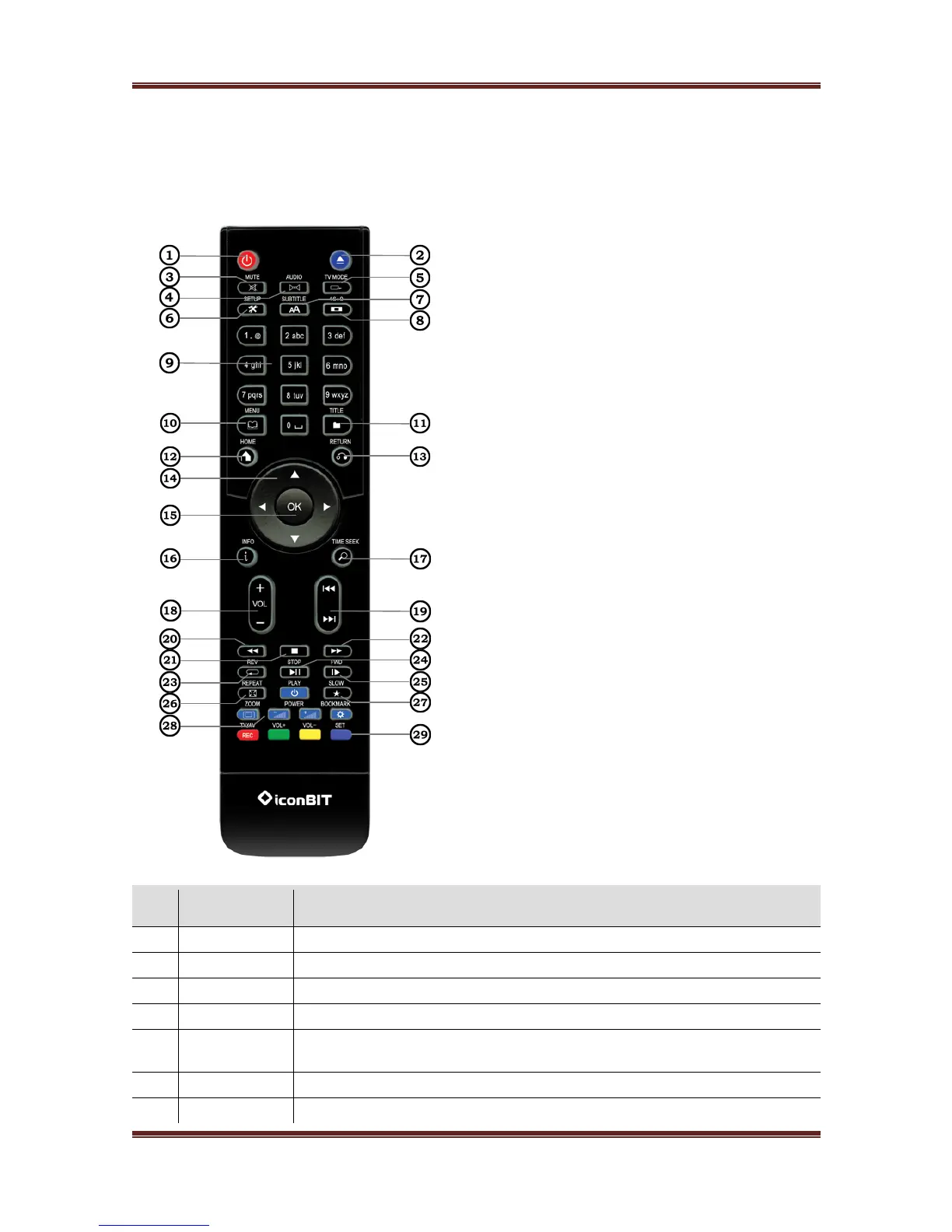
2.1 Remote Control Buttons
This media player comes with universal remote control, some buttons can not be functional.
Press to enter standby mode or wake up.
Press to safely remove the USB device.
Press to mute audio output, and press again to resume.
Press to select an audio track.
Press to switch between NTSC, PAL, 480P, 576P, 720P, 1080I, and
1080P.
Press to enter the setup menu.
Press to set subtitle options. You can change the color/size/offset/



 To Next Page