iData 70 User Manual
- 9 -
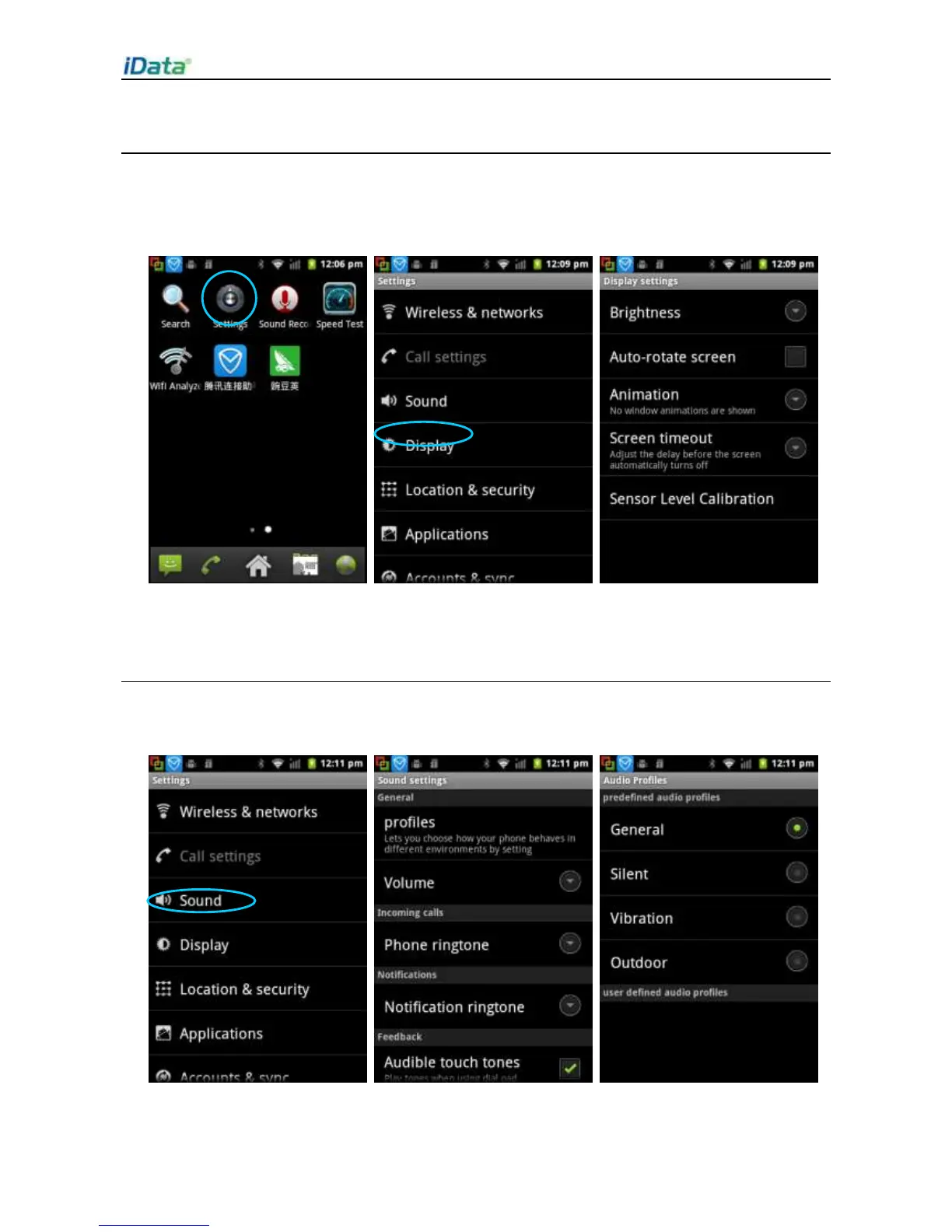
2.6.2 Display Settings
To set display options, do as follows:
Select Settings > Display and set display options such as Brightness,
Auto-rotate screen, Animation, Screen timeout and Sensor Level Calibration.
2.6.3 Ringtone Setting
Select Settings > Sound and click Profiles/Volume/Phone ringtone/Notification
ringtone/Audible touch tone to set the ringtone in each option.


 To Next Page