iData 70 User Manual
- 13 -
3.2 Contacts
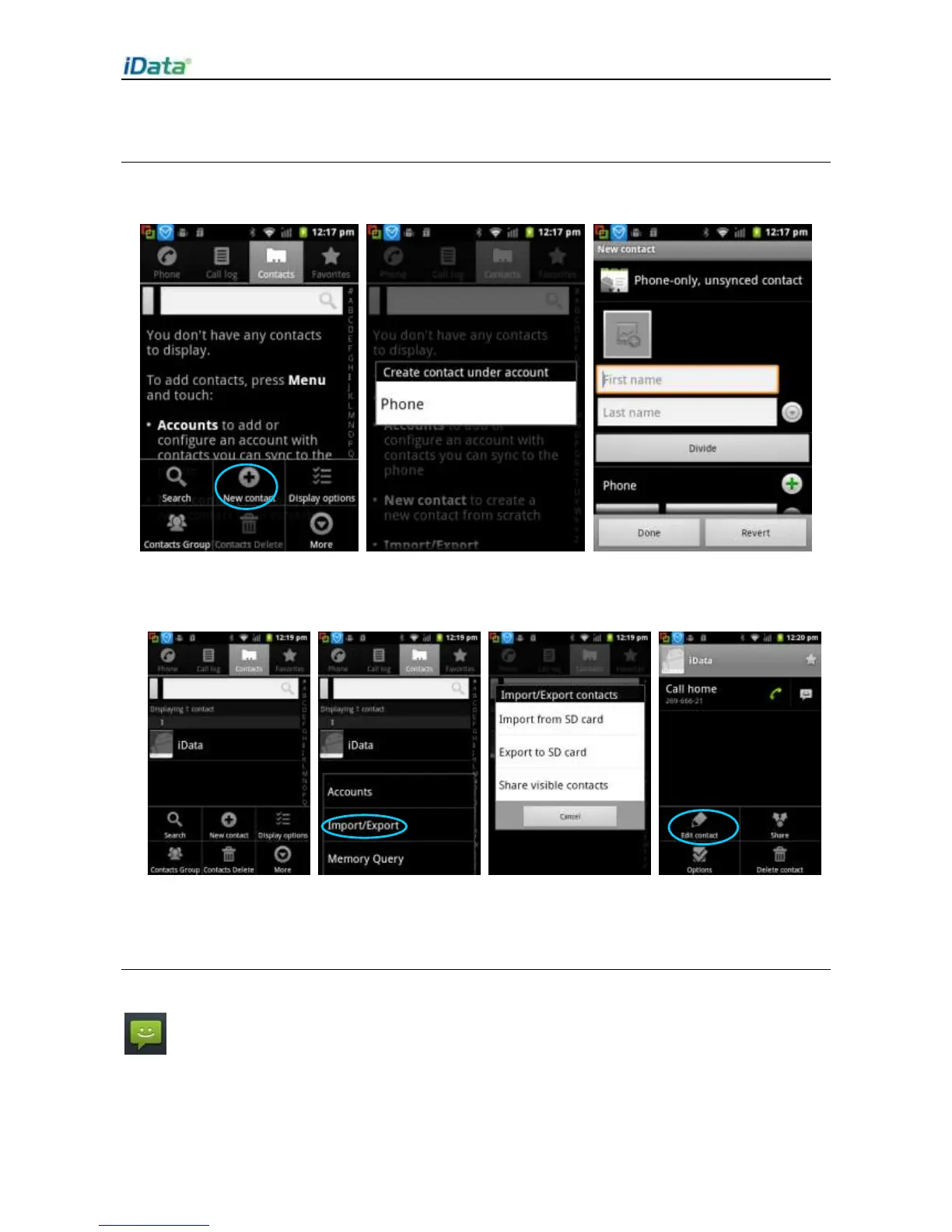
1. Click Contacts to open the contact list.
2. Press the menu key and click
New
contact
to add a contact.
3. To import or export a contact, press the menu key and click Import/Export.
4. To edit or delete a contact, select a contact, press the menu key to open the menu, and
click Edit contact.
3.3 SMS and MMS
Find the following icon:
1. Click
New message
and enter the message recipient and the text to be sent.
2. Click
Send
.


 To Next Page