iData 70 User Manual
- 20 -
5. Introduction to iScan of the iData 70
5.1 Installing and Using iScan
To collect data, you must install and start the scan application on the iData 70. At present,
Wuxi iData Technology Company Ltd. provides the scan demonstration software, iScan, to
obtain and decode barcode information.
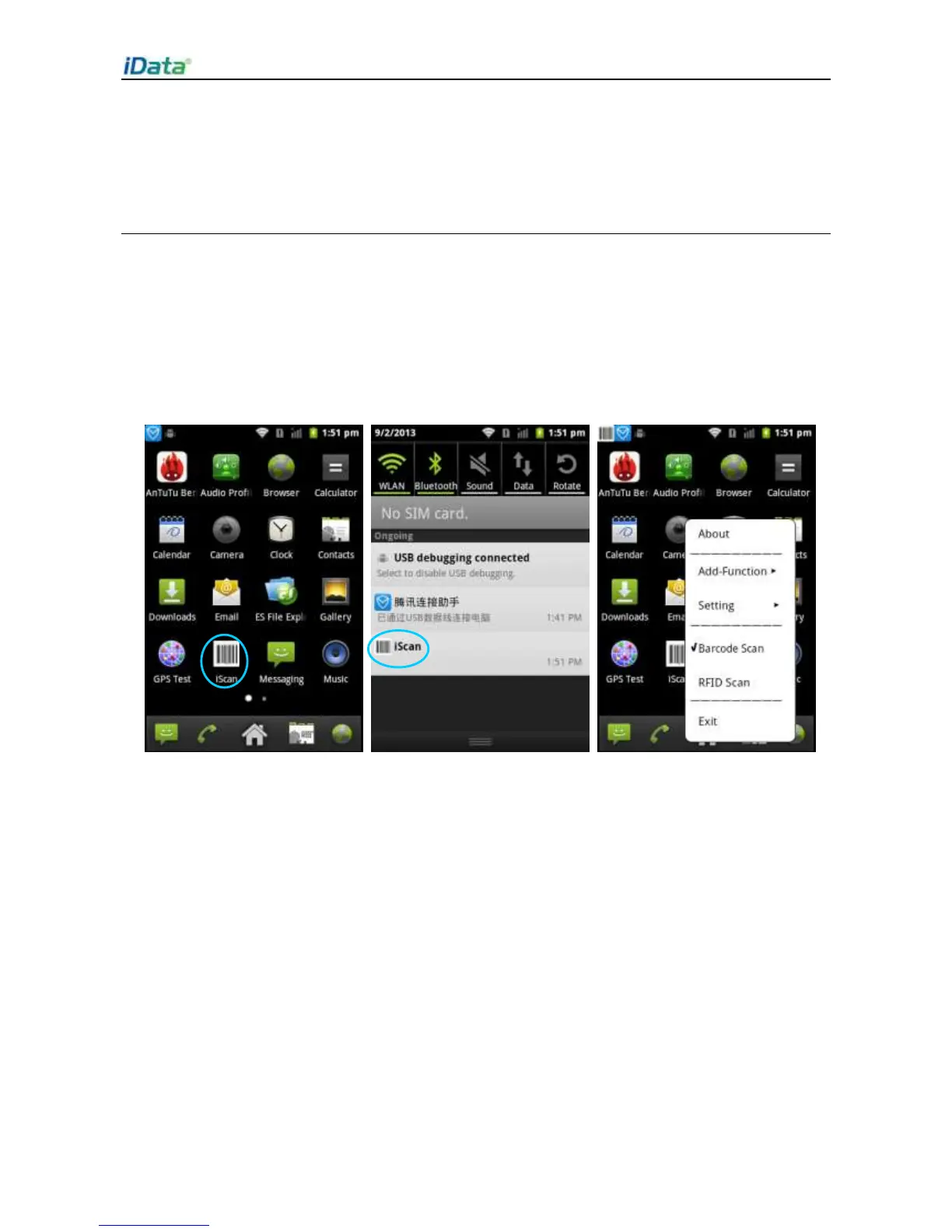
First of all, install iScan on the iData 70 (for details on how to install iScan, see 6.1 Installing
Software). After iScan is installed, the iScan icon is displayed on the application page. Click
the icon to start the software (by default,
Barcode Scan
is selected). In this case, you can
scan barcodes.


 To Next Page