Table of Contents
1 Introduction ............................................................................................... 1
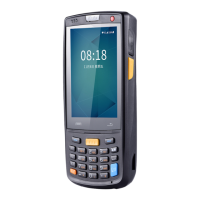
1.1 Appearance of iData 70 ................................................................................................. 1
1.2 Installing an SD Card ..................................................................................................... 2
1.3 Installing a SIM Card ...................................................................................................... 3
1.4 Installing a Battery ......................................................................................................... 3
1.5 Disassembling the Battery Cover ................................................................................... 4
1.6 Charging ........................................................................................................................ 5
2 Instructions on iData 70 ........................................................................... 6
2.1 Power-on and Power-off ................................................................................................ 6
2.2 Locking and Unlocking the iData 70 ............................................................................... 6
2.3 Keys of the iData 70 ....................................................................................................... 6
2.4 Home ............................................................................................................................. 7
2.5 Status Icons and Indicators ............................................................................................ 7
2.6 Basic Settings ................................................................................................................ 8
3 Call Function ........................................................................................... 12
3.1 Making a Call ............................................................................................................... 12
3.2 Contacts ....................................................................................................................... 13
3.3 SMS and MMS ............................................................................................................. 13
3.4 Email ............................................................................................................................ 14
4. Network and Connection Synchronization .......................................... 16
4.1 GPRS Data Connection ............................................................................................... 16
4.2 Wi-Fi Network Connection ........................................................................................... 17
4.3 GPS ............................................................................................................................. 17
4.4 Connecting iData 70 to a Computer ............................................................................. 18
4.5 Synchronization ........................................................................................................... 19
5. Introduction to iScan of the iData 70 .................................................... 20
5.1 Installing and Using iScan ............................................................................................ 20
6 Managing iData 70 .................................................................................. 21
6.1 Installing Software ........................................................................................................ 21
6.2 Managing Applications ................................................................................................. 21
7 Precautions and Troubleshooting ......................................................... 22
7.1 Precautions for iData 70 .............................................................................................. 22
7.2 Troubleshooting ........................................................................................................... 23
Appendix .................................................................................................... 26


 To Next Page