iData 70 User Manual
- 15 -
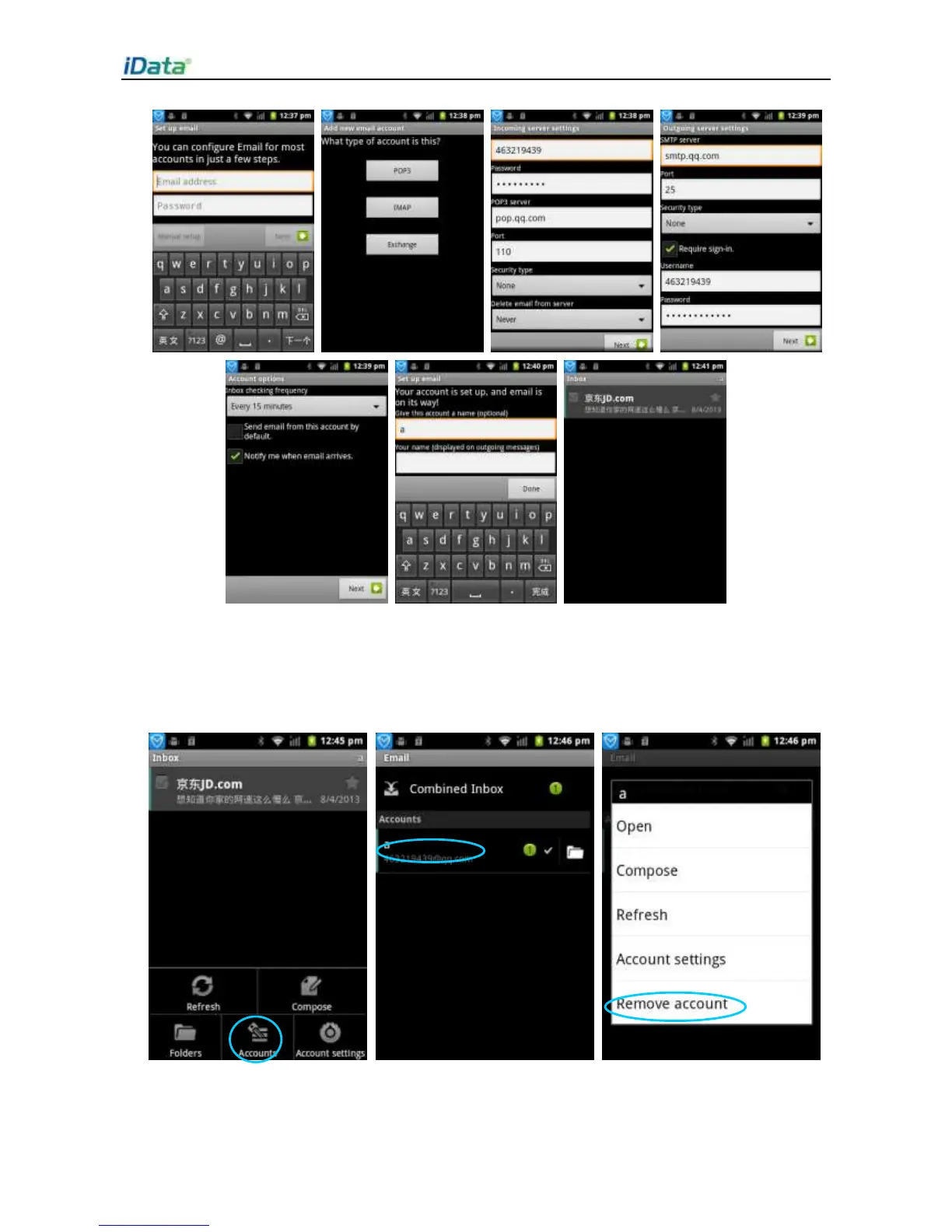
To delete an account, do as follows:
1. On the
Email
page, press the menu key to open the menu.
2. Click
Accounts
. In the accounts displayed, select one account and press and hold the
account. In the displayed menu, select
Remove account
to delete the email account.


 To Next Page