

 To Next PageTo Next Page
 Need help?
Do you have a question about the IDEAL EVOMAX 2 Series and is the answer not in the manual?
Guidelines for safe operation and installation, emphasizing qualified personnel.
Details the required voltage, frequency, and fuse for the appliance's power connection.
Crucial operational and safety points, including casing, clearances, and flammable materials.
Specifies required air gaps around the boiler for proper ventilation and servicing.
Visual representation of the boiler's control panel and its components.
Step-by-step instructions for initiating the boiler's operation and ignition sequence.
Displays of the boiler's current operational state, configuration, and system status.
Options to configure heating circuits, covering operating modes, temperatures, and schedules.
Settings for Domestic Hot Water (DHW) circuits, including operating modes and tank temperature control.
Details for connecting the primary 230V 50Hz power supply and auxiliary outputs.
Configuration of multi-function relay outputs for pumps, indications, and fault signals.
Low voltage connections for pump control, OpenTherm, and optional sensors like room temperature.
Lists error types, descriptions, and codes for hardware-related faults like thermistors and sensors.
Details faults related to temperature monitoring, overheat conditions, and gradient supervision.
Covers faults related to the combustion system, fan operation, and water flow.
Lists faults related to internal system operations, programming, and parameter settings.
Procedures for safely shutting down and restarting the boiler for short or long periods.
Explains the boiler's built-in protection mechanisms against freezing and overheating.
Details on the condensate trap and instructions for clearing blockages or frozen pipes.
Safety advice for gas leaks and instructions for routine cleaning of the boiler unit.
Guidelines for safe operation and installation, emphasizing qualified personnel.
Details the required voltage, frequency, and fuse for the appliance's power connection.
Crucial operational and safety points, including casing, clearances, and flammable materials.
Specifies required air gaps around the boiler for proper ventilation and servicing.
Visual representation of the boiler's control panel and its components.
Step-by-step instructions for initiating the boiler's operation and ignition sequence.
Displays of the boiler's current operational state, configuration, and system status.
Options to configure heating circuits, covering operating modes, temperatures, and schedules.
Settings for Domestic Hot Water (DHW) circuits, including operating modes and tank temperature control.
Details for connecting the primary 230V 50Hz power supply and auxiliary outputs.
Configuration of multi-function relay outputs for pumps, indications, and fault signals.
Low voltage connections for pump control, OpenTherm, and optional sensors like room temperature.
Lists error types, descriptions, and codes for hardware-related faults like thermistors and sensors.
Details faults related to temperature monitoring, overheat conditions, and gradient supervision.
Covers faults related to the combustion system, fan operation, and water flow.
Lists faults related to internal system operations, programming, and parameter settings.
Procedures for safely shutting down and restarting the boiler for short or long periods.
Explains the boiler's built-in protection mechanisms against freezing and overheating.
Details on the condensate trap and instructions for clearing blockages or frozen pipes.
Safety advice for gas leaks and instructions for routine cleaning of the boiler unit.
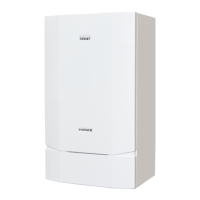
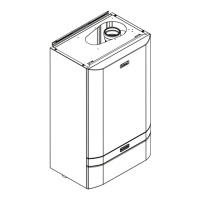
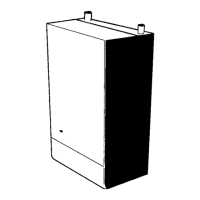
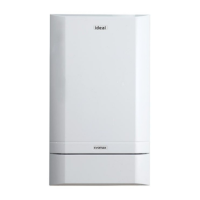
The EVOMAX 2 is a wall-mounted, room-sealed, super-efficient condensing boiler designed for commercial use. It features a full-sequence automatic spark ignition and fan-assisted combustion, ensuring reliable and efficient operation. Due to its high efficiency, the boiler produces condensate from the flue gases, which is drained through a plastic waste pipe at the bottom of the unit to a suitable disposal point. A condensate 'plume' may also be visible at the flue terminal during operation.
Installation and maintenance of the EVOMAX 2 boiler must be carried out by a suitably qualified Gas Safe registered engineer in GB or a competent person in IE, in accordance with current Gas Safety (Installation & Use) Regulations or rules in force. Regular servicing, at least once a year, is essential for safe and economical operation. The appliance must be earthed and connected to a 230 V - 50 Hz supply with a 4 Amp fuse. Connection should be via a double-pole switch with a 3mm contact separation in both poles, serving only the boiler and system controls, or a 3-pin UNSWITCHED socket.
The boiler must not be operated without the casing correctly fitted and forming an adequate seal. If installed in a compartment, the compartment must not be used for storage. Objects should not be stored around or on the boiler, and access must be kept clear at all times. Ventilation ducts, condensate pipework, grilles, or openings in the boiler room or compartment must not be obstructed. The boiler should not be turned off if it is to be left unattended in frosty weather. If a fault is suspected, the boiler must not be used until it has been corrected by a qualified engineer. Flammable materials or vapours should not be stored near the appliance.
This appliance can be used by children aged 8 years and above, and by persons with reduced physical, sensory, or mental capabilities, or lack of experience and knowledge, provided they have received supervision or instruction concerning safe use and understand the associated hazards. Children should not play with the appliance, and cleaning and user maintenance should not be performed by children without supervision. In cases of repeated or continuous shutdown, a qualified engineer should be called to investigate and rectify the condition, performing an operational test after each intervention. Only original manufacturer's parts should be used for replacement.
To allow for servicing, clearances of 300mm (12") below, 25mm (1") at the sides, and 450mm (17 3/4”) at the front of the boiler casing must be maintained.
The boiler is controlled via a user interface featuring a Rotary Knob, LCD Display Screen, Burner LED, Select Button, Back Button, and Reset Button.
For a stand-alone boiler, a master boiler in a cascade, or a master boiler with an extension module:
The status screens vary based on boiler configuration. Examples include:
Each configured heating circuit has several settings:
Each configured DHW circuit has similar settings:
When a fault occurs, the status display's title bar will alternate between the normal status and "Fault." The scroll knob can be used to display fault details (e.g., "Fault 39: Blocking Interlock, Function activated (controlled shutdown)"). Once rectified, faults can be reset by pressing the reset button. If multiple faults exist, a list will be shown, and each can be highlighted to view details.


 General