12: D
ISPLAY
I
NSTRUCTIONS
12-12 FC6A S
ERIES
MICROS
MART
L
ADDER
P
ROGRAMMING
M
ANUAL
FC9Y-B1726
4. After the settings are configured, click OK.
The configured content is displayed on the LCD display area.
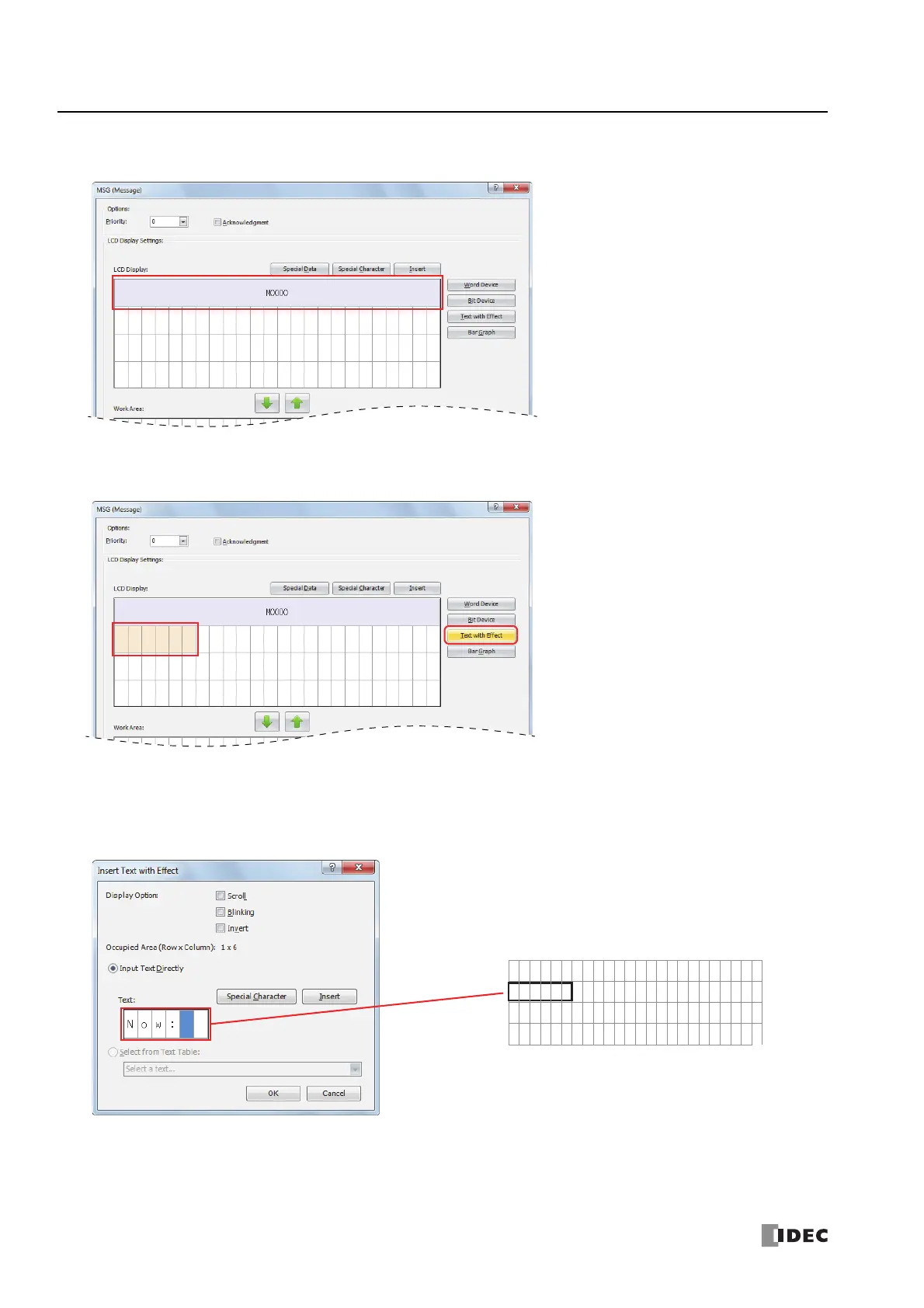
Configuring the text with effect
5. Select the six-column area from the start of the second row and click Text with Effect.
Note: The text can also be entered directly on the LCD display area. In the sample above, move the cursor to the start of the second line and enter
"Now:" with the keyboard. When you directly enter the text, proceed to "Configuring the word device" on page 12-13, step 8.
The Insert Text with Effect dialog box is displayed.
6. In Text, enter "Now:" with the keyboard. Under Display Option, disable all of the options.
IDEC room temp is
Now:



 To Next Page
 Loading...