Step three : communications
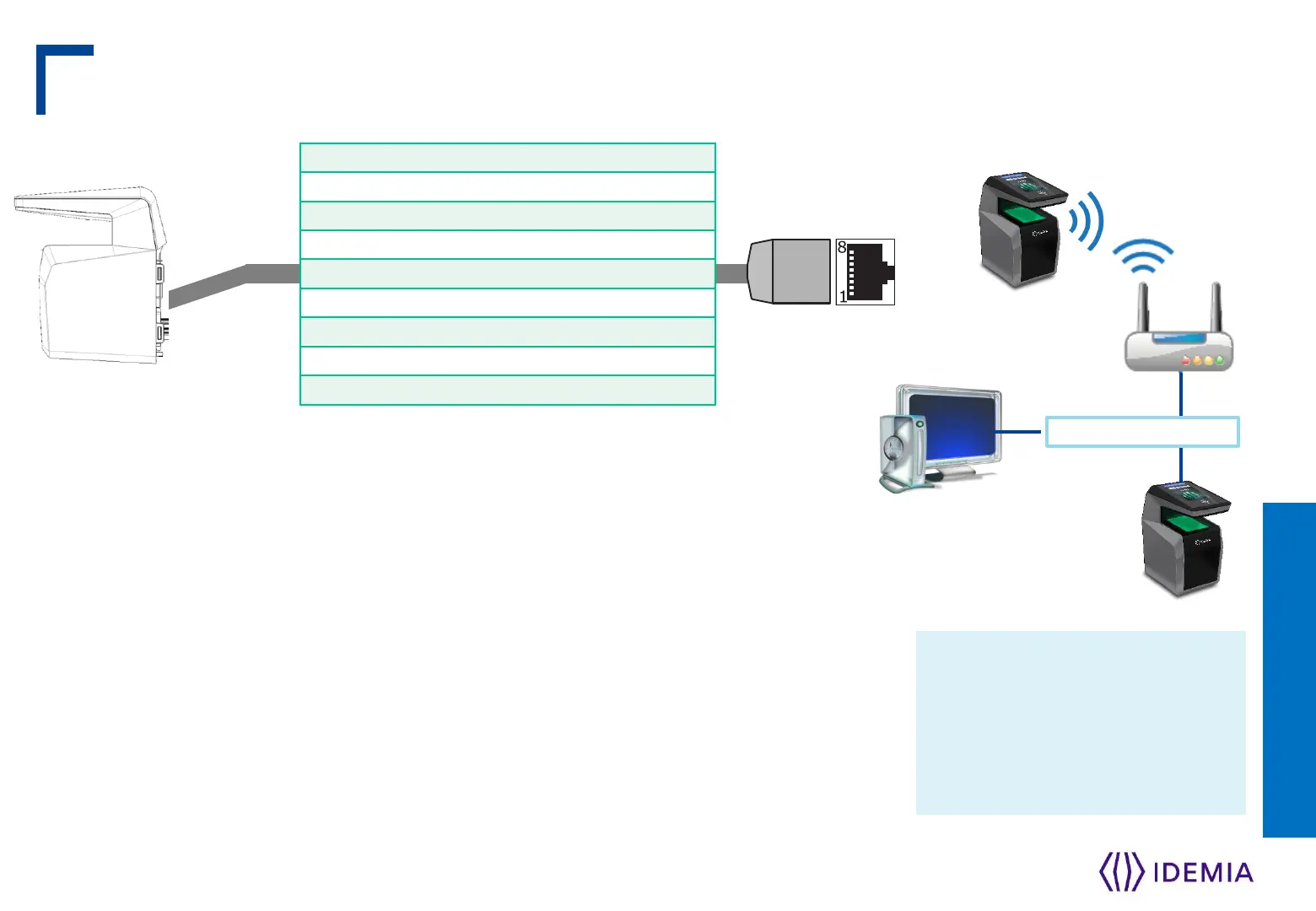
RJ45
LAN Ethernet
Management
station
Wireless
WLAN option
IDEMIA wireless enabled
devices support 802.11b and
802.11g standards. WEP
Open, WPA and WPA2 are
supported.
Use a category 6 shielding cable (120 Ohms) or better. It is strongly recommended
to insert a repeater unit every 90 m.
Static mode is enabled by default on MorphoWave Compact terminals (factory
setting) : IP=192.168.1.10, Gateway=192.168.1.254, Mask= 255.255.254.0
Terminal Block Ethernet connection
Extreme care must be taken while connecting Ethernet wire to the block board
since low quality connection may strongly impact Ethernet signal sensibility.
Connect Rx+ and Rx- with the same twisted-pair wire (and do the same with
Tx+/Tx- and the other twisted-pair wire).
IDEMIA - 2018_2000035854 – V1


 To Next Page