IDEMIA DOCUMENT – REPRODUCTION AND DISCLOSURE PROHIBITED
Time and Attendance feature
IDEMIA - 2018_2000035854 – V128
MorphoWave Compact Series terminals support an optional Time and
Attendance (T&A) feature.
For this, the terminal adds a specific T&A information to each
identification or authentication record stored in the embedded event log
database.
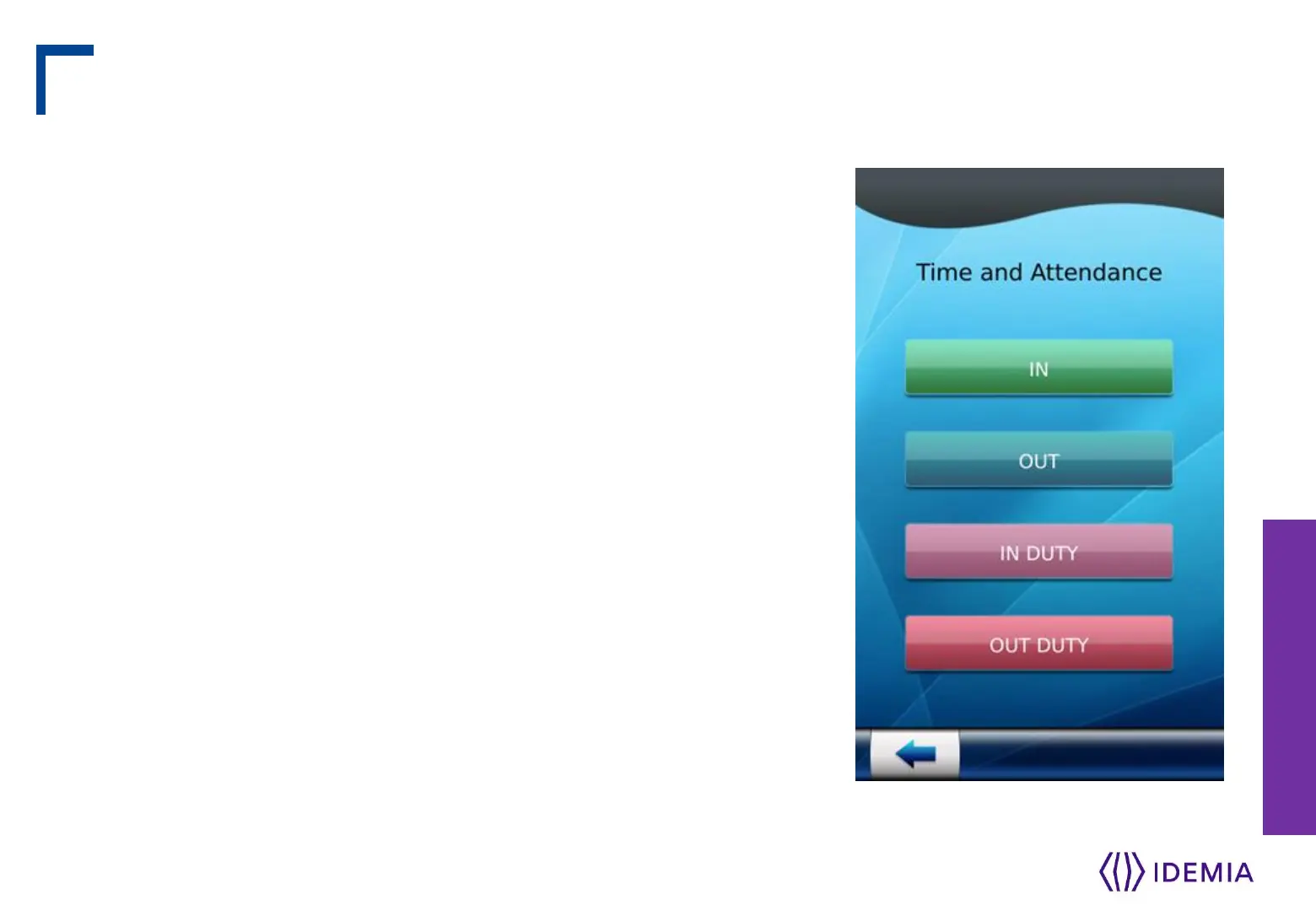
This information is provided by the user through a specific screen
displayed during identification or authentication process.
The new screen contains 4 dedicated function keys :
Entry
Exit
Beginning of a task
Ending of a task
The user is expected to press one of the keys to provide the specific
Time & Attendance information to the terminal.
Depending on terminal settings, this screen is displayed before or after
the user waves his/her hand in the sensor or his/her card in front of the
reader.
An extended mode is also available with 16 function keys.
Step eight: optional features


 To Next Page