IDEMIA DOCUMENT – REPRODUCTION AND DISCLOSURE PROHIBITED
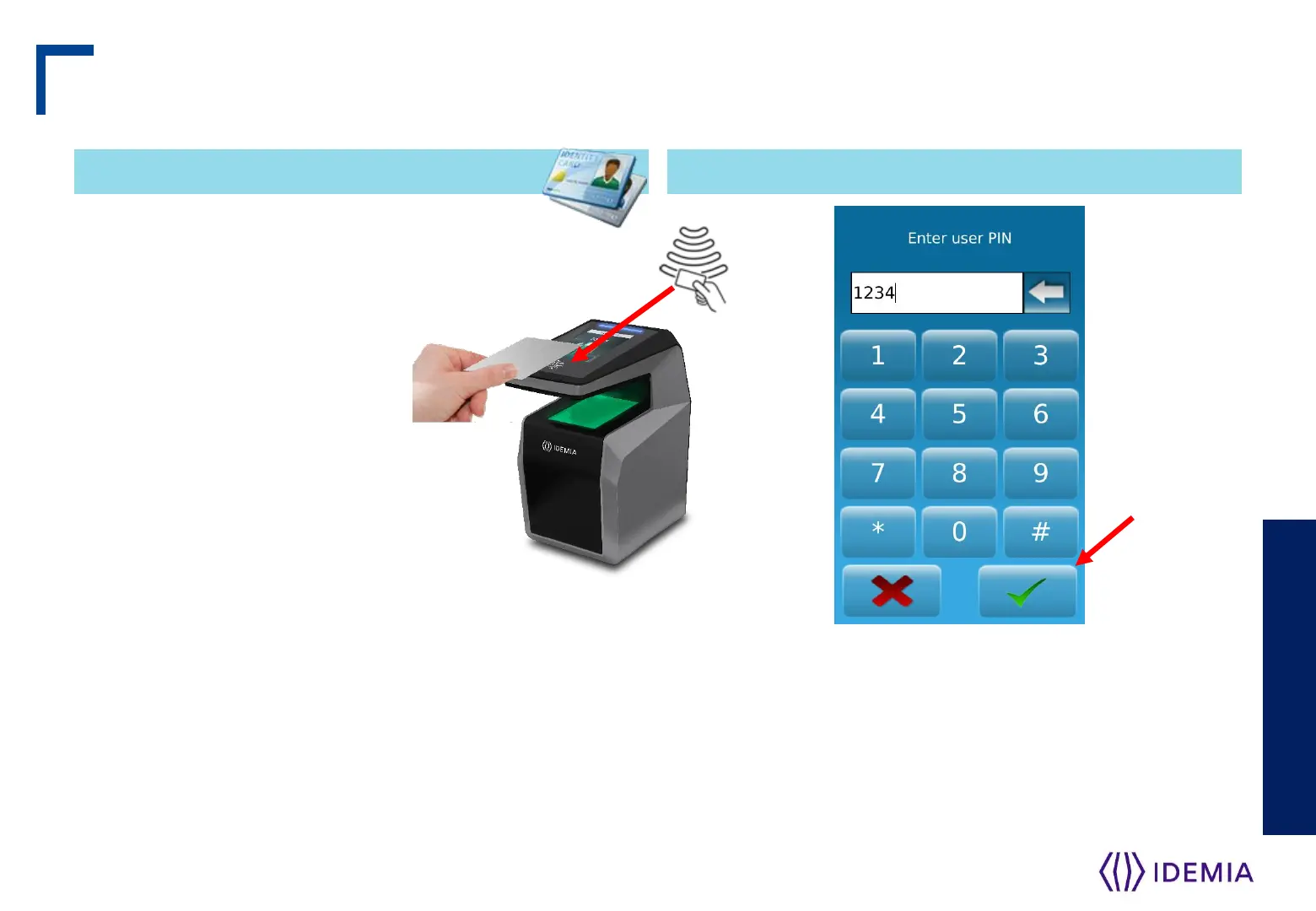
This action is required once
during the user enrolment
process (generation /
encoding of a user RF card),
and at each authentication.
Place user’s RF card in front
of embedded contactless
card reader which is located
behind the contactless logo.
The terminal reads the user data stored in the card (at
least the User ID), and starts the authentication
process, as defined by the terminal settings.
Contactless Card Position – PIN input
IDEMIA - 2018_2000035854 – V127
Contactless Card Position Input PIN
When defined by terminal settings, the user is required
to enter his PIN code, once during enrolment process,
and at each authentication (in addition or instead of
biometric check).
The PIN code is entered using a numeric keypad
displayed on the LCD touch screen.
Step seven: capture basics
The authentication process is initiated by the detection
of a user card by the contactless card reader.


 To Next Page