IDEMIA DOCUMENT – REPRODUCTION AND DISCLOSURE PROHIBITED
A new user can easily be added by using the administration menu of the
MorphoWave Compact terminal.
This “local enrolment” is recommended only for small or stand alone
installations or testing purposes. For professional systems enrolment should
be performed remotely with an enrolment station, which is a PC with a
dedicated application such as MorphoManager.
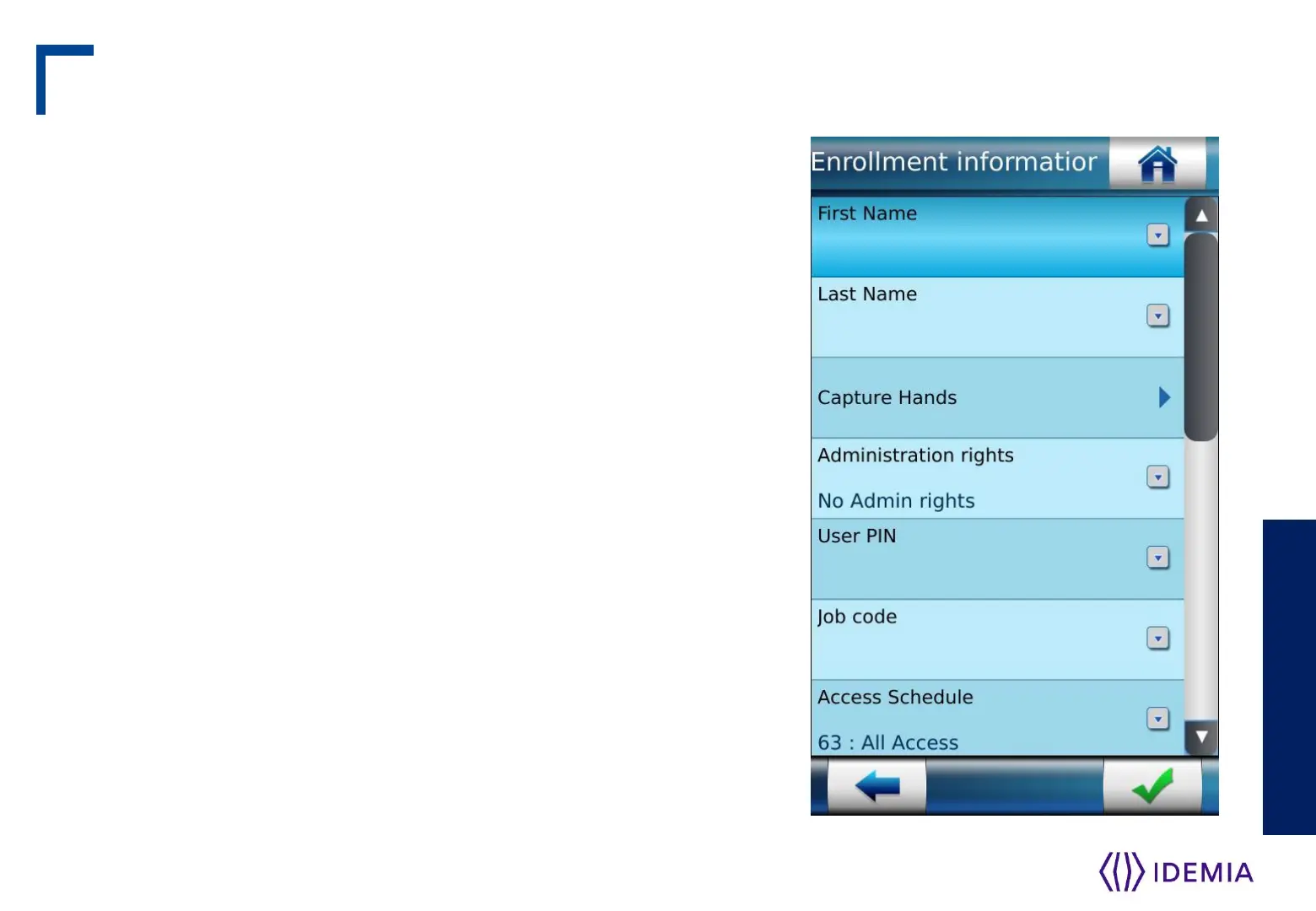
This menu allows a user’s record to be added in the local database, with the
option of creating a user RF card, with the user’s reference data.
Enrolment gathering user’s data listed :
User’s first name and last name
User’s fingerprints (for biometric check)
User’s administration rights (none, settings, database)
User’s PIN (for PIN check)
User’s duress fingerprint
User’s access schedule and holiday schedule
User’s dynamic message setting
User’s record expiry date
User to include in white list or in VIP list
User specific access rules definition
MorphoWave Compact terminal allows you to capture up to 8 fingers per
user.
Note: Refer to User enrollment section in MorphoWave Compact
Administration Guide.
Local Enrollment Process 1/2
IDEMIA - 2018_2000035854 – V123
Step seven: capture basics


 To Next Page