
 Need help?
Do you have a question about the Idemia MorphoWave SP and is the answer not in the manual?
General introduction to the Morpho Wave SP terminal, its features, and advantages for access control.
Defines the document's scope and presents critical safety guidelines for installation and operation.
Guidance on appropriate wiring practices and steps for successful terminal implementation.
Compliance information for EU, USA (FCC), and Canada (IC) regulations.
Further advice on product care, safety notices, and electronic waste disposal.
Steps for safely unpacking the terminal and identifying all package components.
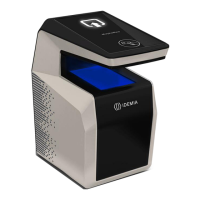
Detailed descriptions of the terminal's front and rear views, highlighting key features and ports.
Comprehensive list of technical characteristics, performance data, and capabilities.
Ensures all necessary components are present and lists required tools before installation.
Lists essential steps and equipment for installation.
Instructions for marking and drilling holes for wall mounting.
Step-by-step process for connecting cables and internal components.
Procedure for fixing the mounting base plate to the wall surface.
Mounting the terminal unit onto the wall-mounted base plate.
Attaching and securing the connector assembly to the device.
Finalizing the physical attachment and closure of the terminal.
Diagram and pinout for connecting the terminal's electrical interfaces.
Guidelines for external DC power supply and Power over Ethernet Plus connection.
Details on configuring output relays for door locks and tamper switch operations.
Instructions for connecting Wiegand, Serial (RS485/RS422), and GPIO interfaces.
Setup for Ethernet connection, including PoE+, and installation of the Wi-Fi dongle.
How to connect a USB key for terminal configuration and administration.
Details the various modes for controlling access rights: Identification, Authentication, Multi-factor, Proxy, External Database, and Anti-tamper.
Essential safety advice, warnings, and proper handling guidelines for the terminal.
Advice on maintaining biometric performance and considerations for the installation environment.
Recommendations for optimal Ethernet connectivity, PoE+ usage, and placement.
Explains the hand-waving motion and principles for capturing fingerprints.
Illustrates proper techniques and common errors to avoid during scanning.
Guide on how to obtain the most recent firmware, software, and document releases.
List of available guides for installation, administration, and developer interfaces.
Solutions for network connectivity, sensor status, and erratic response problems.
Regional contact information and hotlines for technical assistance.
 General
| Fingerprint Recognition | Yes |
|---|---|
| Fingerprint Capacity | Up to 50, 000 fingerprints |
| Verification Speed | Less than 1 second |
| Transaction Log | Up to 100, 000 transactions |
| Weight | 1.5 kg |
| Power Supply | 12V DC |
| Ingress Protection | IP65 |
| Fingerprint Resolution | 500 dpi |
| Operating Systems | Windows, Linux |
| Matching Speed | Less than 1 second |
| Connectivity | Ethernet, USB, Wi-Fi (optional) |
| Interface | USB |

 To Next Page
