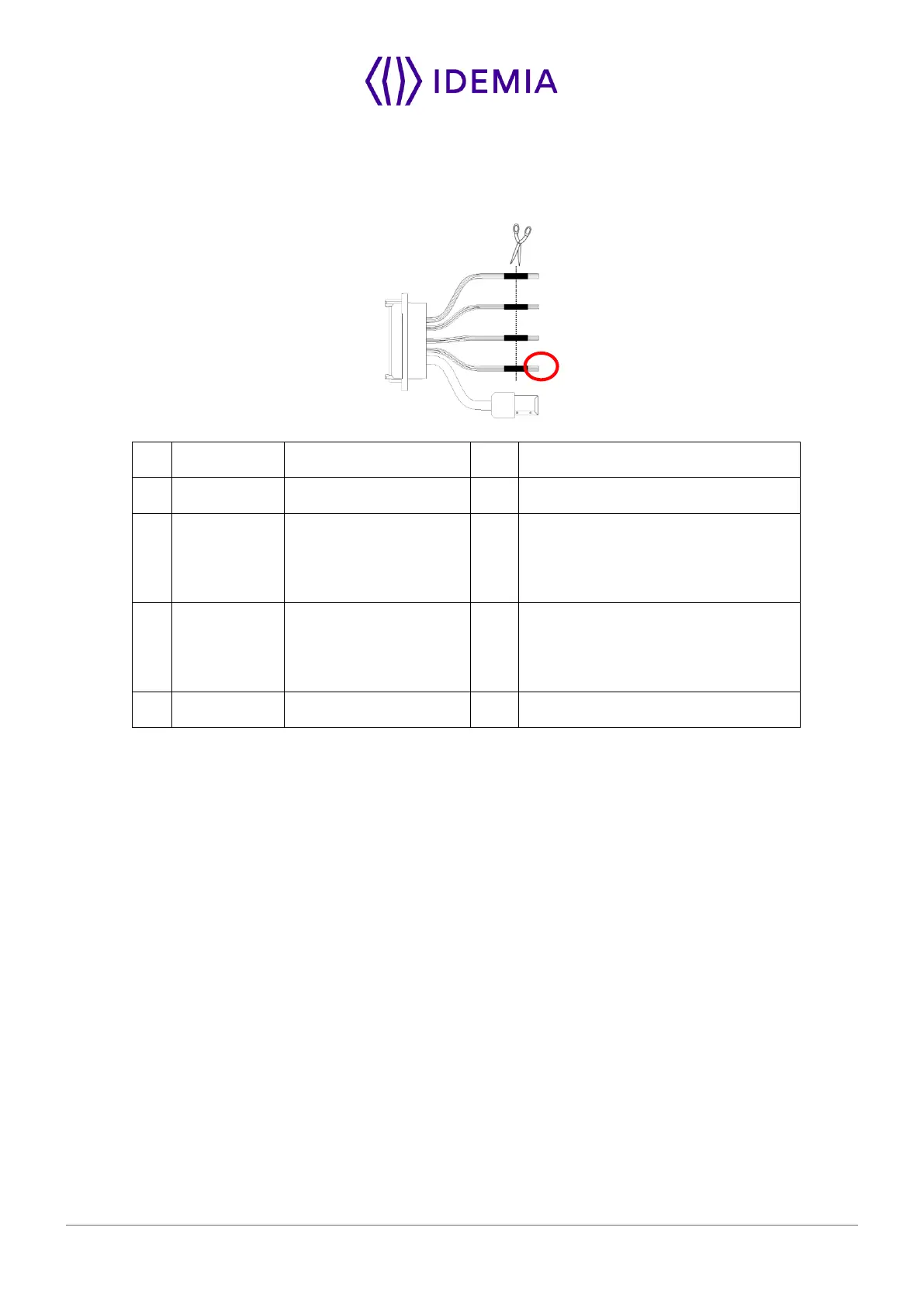
Figure 26: Wiegand output wiring
The use of LED1 and LED2 wires is described in the paragraphs below.
The controller supports neither LED1 nor LED2 signals
When the access controller has no relay contact to provide an answer to the MorphoWave SP terminal, then
the decision to emit either the “access granted” signal or the “access denied” signal is taken by another
way. It is either the MorphoWave SP terminal itself that decides, or it waits for the access controller answer
through the local area network (TCP), or on the serial port in (RS485 or RS422).
It is strongly recommended to disable the LED IN feature, to avoid any interference on MorphoWave SP
terminal behavior.
The controller supports only LED1 signal
When the access controller has only one relay contact which is dedicated to the “access granted” answer,
this one must be connected between the LED1 and GND wires. The LED1 wire is set to the low level by
closing the contact between the LED1 and the GND wires, and it means “access granted”.
The MorphoWave SP terminal uses the timeout of the wait for a low level on the on LED1 wire or LED2 wire
as “access denied” answer.
To minimize at most the waiting time of the user, the MorphoWave SP terminal timeout value, must be
adjusted to a value a little bit higher than the maximal value of the controller response time.
Warning: if the LED2 wire is connected, it must be constantly maintained in the high state.


 To Next Page