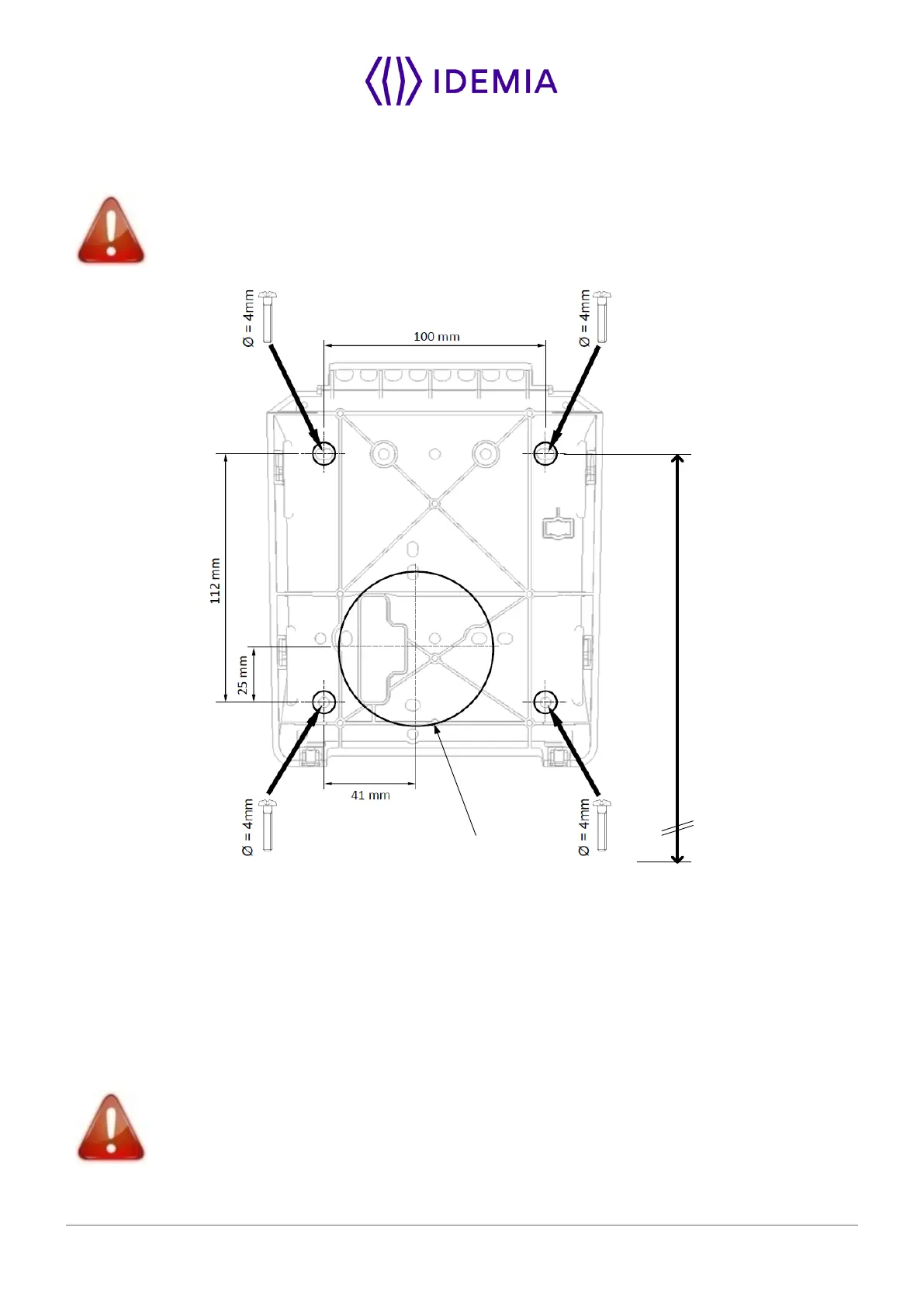
Figure 9: Drilling template
If not present, drill in the wall a hole with a diameter adapted to the width of the terminal and the cable to
be hosted in (see Figure 9: Drilling template. This template can be found in the Quick Installation Guide).
The 67 mm diameter hole (cf. drilling template) should be at least 40 mm deep in order to fit the connections
and cables. A deeper hole is recommended if possible, to make the connection process easier.
Confirm the presence inside the hole of all the cables needed for the electrical installation.
Drill in the wall 4 holes with a diameter adapted to screws and fit them with the raw plugs (see Figure 9:
Drilling template).



 To Next Page