4.11 > Wi-Fi
™
dongle installation
Wi-Fi
™
dongle shall be installed inside the product and connected to the internal USB Mini B (at the rear
of the terminal) using Idemia cable provided in the kit.
Product integrating Wi-Fi
™
dongle shall not be exposed to temperature exceeding 35°C and shall not be
exposed to direct sun.
Wi-Fi
™
feature requires the product to be powered from an external DC 12V to 24V power supply (the
PoE+ doesn’t provide enough power for both the terminal and the Wi-Fi
™
dongle).
Only Wi-Fi
™
USB dongle delivered by Idemia (kit reference 293731397, containing the dongle and the
cable) may be installed with the terminal for WLAN (Wireless Local Area Network) operation.
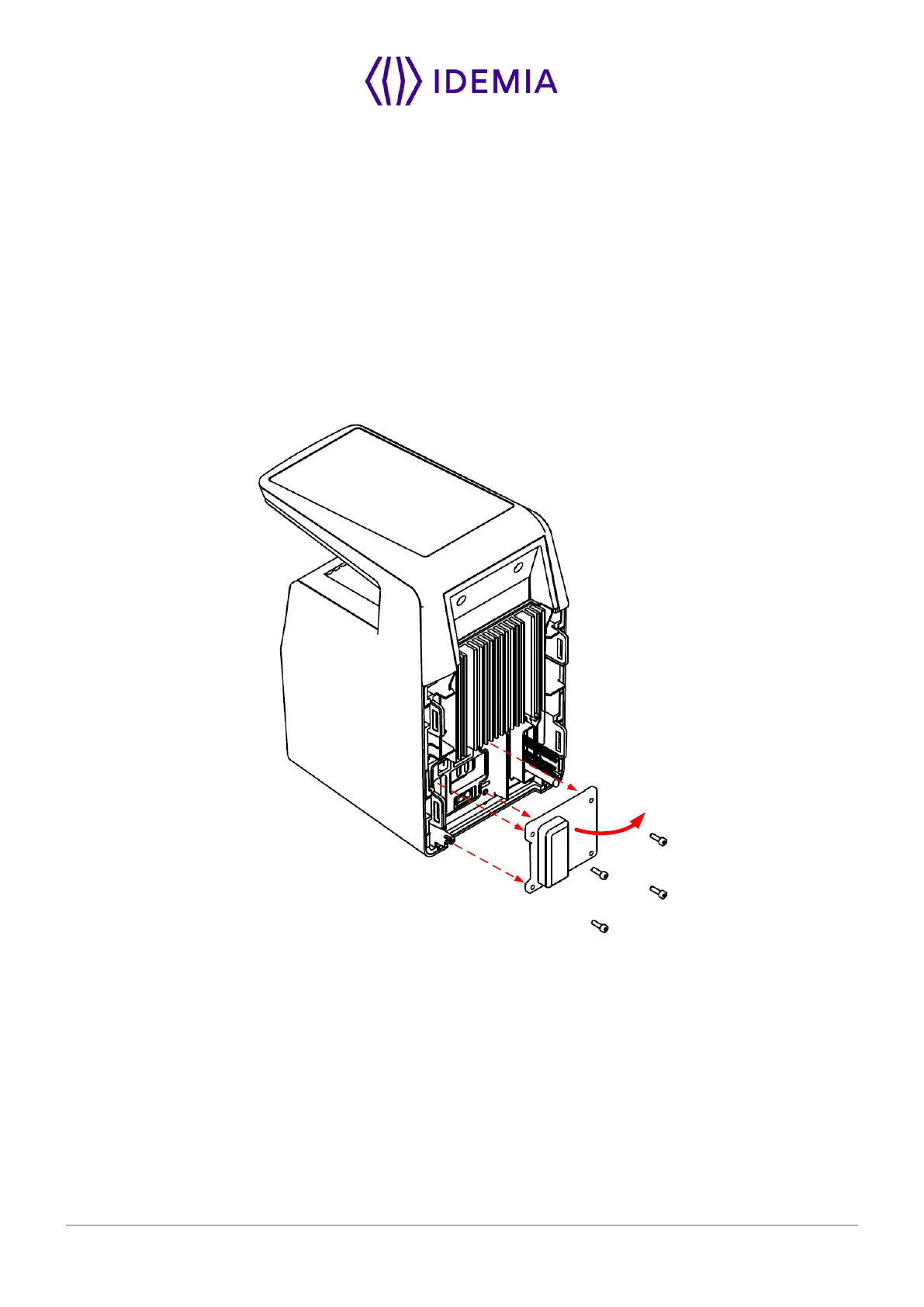
Remove the cover on the rear panel:
Figure 36: Cover removing


 To Next Page