BIBD-ICP User’s Manual
Change Settings
This item selects an optimal setting for Super IO device.
Options: Auto (Default) / IO=2D0h; IRQ=6 / IO=2C0h; IRQ= 3,4,5,6,7,9,10,11,12 / IO=2C8h; IRQ=
3,4,5,6,7,9,10,11,12 / IO=2D0h; IRQ= 3,4,5,6,7,9,10,11,12 / IO=2D8h; IRQ= 3,4,5,6,7,9,10,11,12
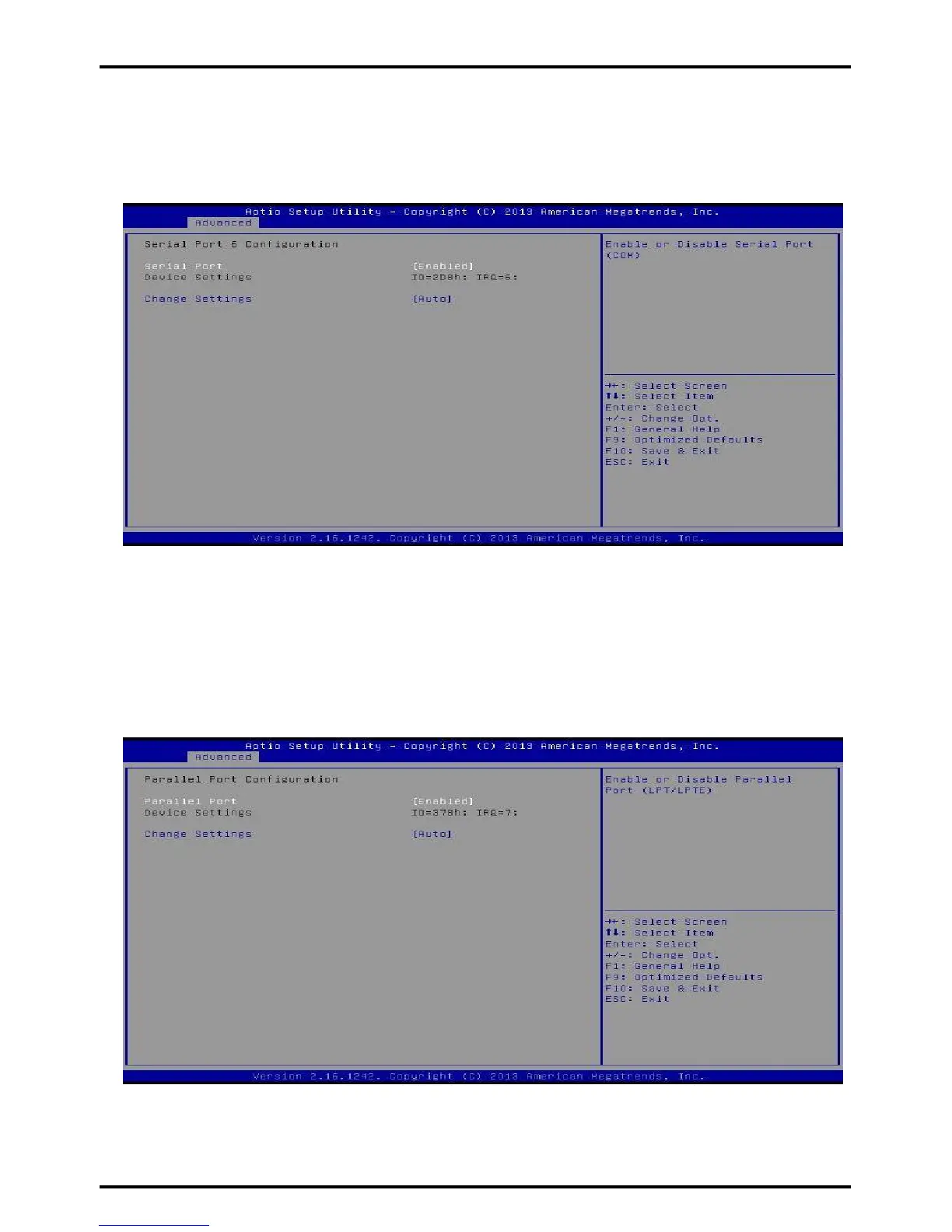
Serial Port 6 Configuration
Serial Port
This item enables or disables Serial Port (COM).
Options: Enabled (Default) / Disabled
Change Settings
This item selects an optimal setting for Super IO device.
Options: Auto (Default) / IO=2D8h; IRQ=6 / IO=2C0h; IRQ= 3,4,5,6,7,9,10,11,12 / IO=2C8h; IRQ=
3,4,5,6,7,9,10,11,12 / IO=2D0h; IRQ= 3,4,5,6,7,9,10,11,12 / IO=2D8h; IRQ= 3,4,5,6,7,9,10,11,12
Parallel Port Configuration
Parallel Port
This item enables or disables Parallel Port (LPT/LPTE).
Options: Enabled (Default) / Disabled
Chapter 3: BIOS Setup | 27



 To Next Page