BIBD-ICP User’s Manual
VCC_Vnn Config for Power state2
This item enables or disables Vcc Vnn Config for power state2
Options: Disabled (Default) / Enabled
RC6 (Render Standby)
This item enables or disables render standby support.
Options: Enabled (Default) / Disabled
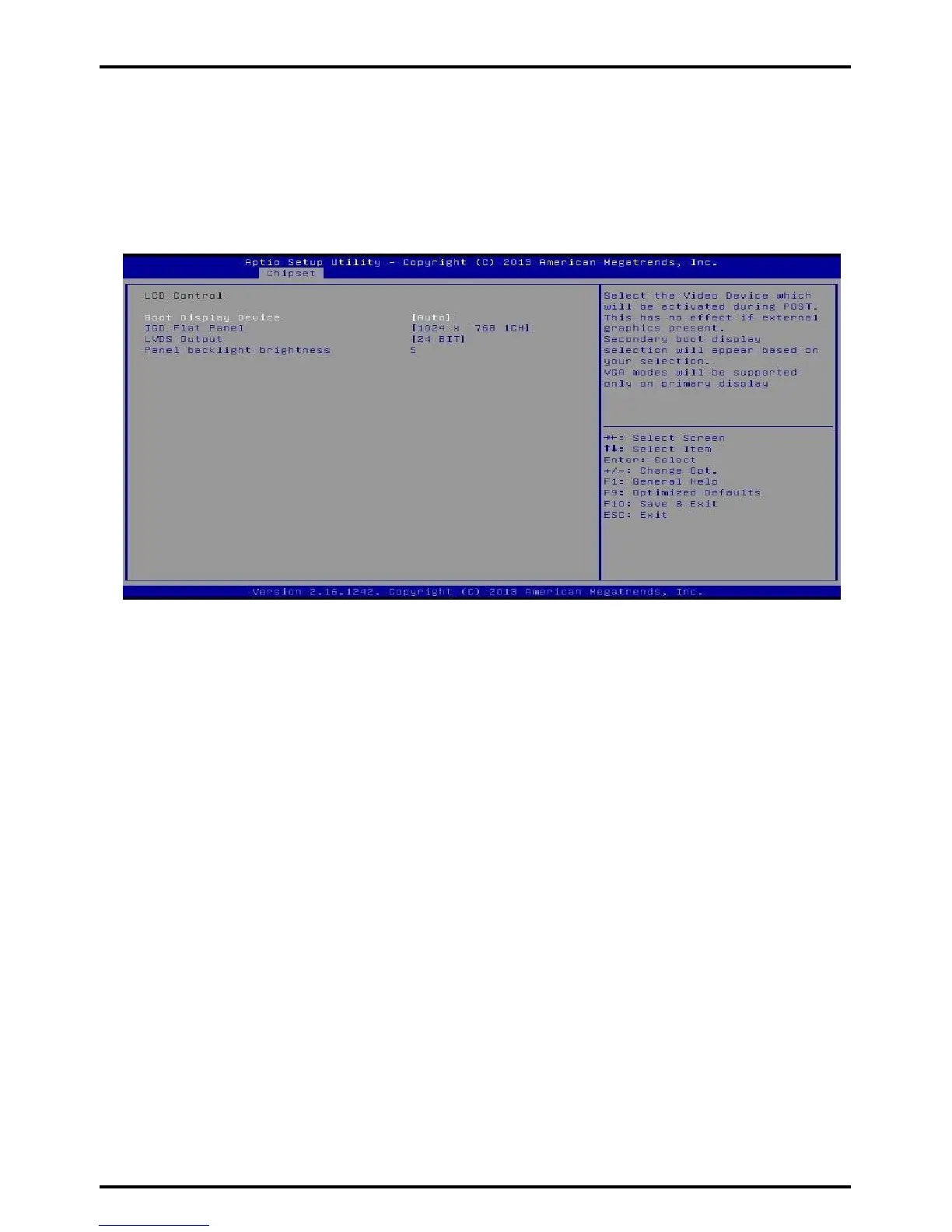
LCD Control
Boot Display Device
This item allows you to select the display device.
Options: Auto (Default) / D-SUB / LVDS
LCD Panel Type
This item selects the LCD panel type.
Options: 1440 x 900 2CH (Default) / 800 x 600 1CH / 1024 x 768 1CH / 1280 x 1024 2CH /
1366 x 768 1CH / 1600 x 900 2CH / 1600 x 1200 2CH / 1920 x 1080 2CH / 1920 x1200 2CH
LVDS Output
This item selects the LVDS Output is 18 or 24
Bit. Options: 24 BIT (Default) / 18 BIT
Panel backlinght brightness
This item selects the LVDS panel
brightness. Options: 5 (Default)
Max TOLUD
This item sets maxium value of TOLUD.
Options: Dynamic (Default) / 1GB / 1.25GB / 1.5GB / 1.75GB / 2GB / 2.25GB / 2.5GB / 2.75GB /
3GB
Chapter 3: BIOS Setup | 37



 To Next Page