BIBD-ICP User’s Manual
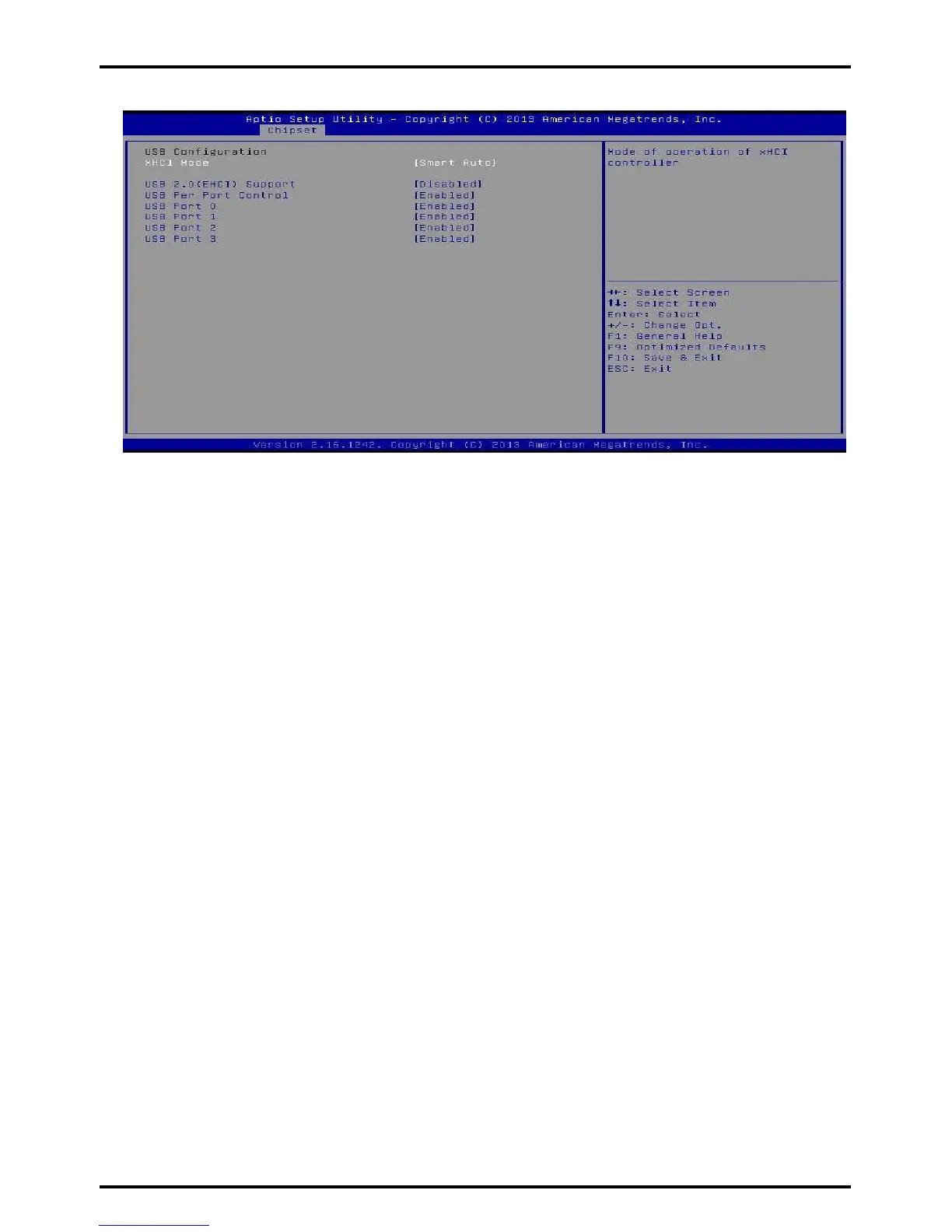
USB Configuration
XHCI Mode
The item selects Mode of operation of xHCI controller.
Options: Smart Auto (Default) / Auto / Enabled / Disabled
USB 2.0(EHCI) Support
This item controls the USB EHCI (USB 2.0) functions. One EHCI controller must always
be enabled.
Options: Disabled (Default) / Enabled
»»» Note: The following items appear only when you set the USB 2.0(EHCI) Support to [Enabled]
USB RMH Mode
This item enables or disables PCH USB Rate Matching Hubs mode.
Options: Enabled (Default) / Disabled
USB ECHI jebug
This item enables or disables PCH EHCI debug capability.
Options: Disabled (Default) / Enabled
USB Per Port Control
Control each of the USB ports (0-3). Enable: Enable USB per port; Disable: Use USB port
X settings.
Options: Enabled (Default) / Disabled
USB Port 0/1/2/3
This item enables or disables USB Port 0.
Options: Enabled (Default) / Disabled
Chapter 3: BIOS Setup | 39



 To Next Page