Home
Idis
Security Camera
DC-D4511WERX
Page 14 (Device Reset Procedures)
Idis DC-D4511WERX - Device Reset Procedures
37 pages
Manual
Save Page as PDF
To Next Page
To Next Page
To Previous Page
To Previous Page
Loading...
14
V
ersion 1.0.0
DC
-
D451
1W
ERX, DC
-
D4531W
ERX Conf
iguration Guide for IDIS NVR
DC
-
D451
1W
ERX
DC
-
D4531W
ERX
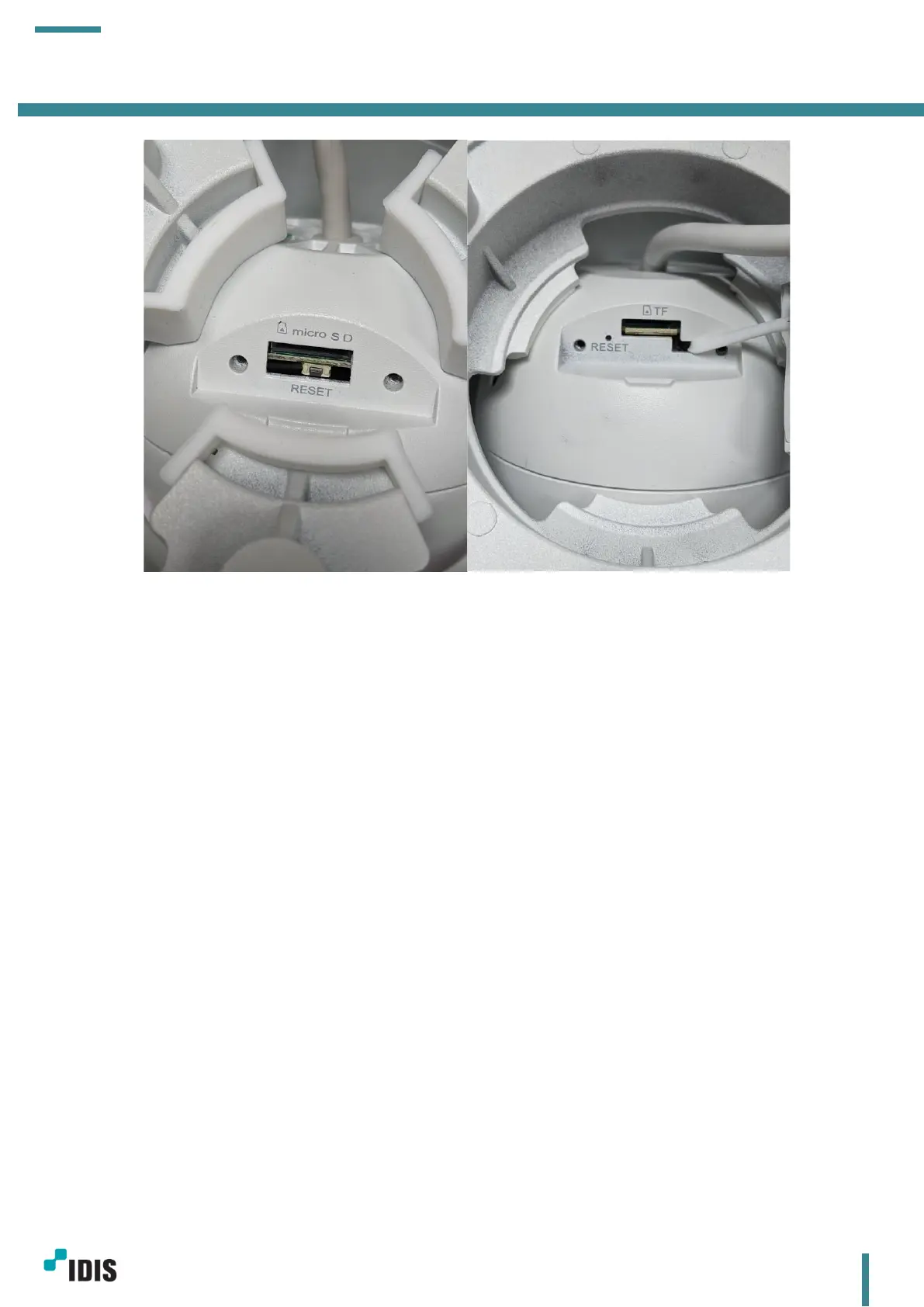
Press the reset button f
or 10 seconds whi
le a cam
era is plugged in.
b.
Device reset by De
vice Config T
ool.
Please refet to the s
ection 6.2.5
-
c
c.
Device reset by Cam
era webpage
Please refet to the s
ection 6.3.9
–
c
13
15
Table of Contents
Main Page
Table of Contents
2
Introduction
3
Network Setup
3
Camera Basic Web Setup
4
Camera Password Setup
4
Camera IP Address Setup
5
Camera Stream Profile Setup
6
Camera Motion Event Setup
7
Camera Registration
8
Camera Registration Page
8
Camera Is in Link-Local IP Range
9
Cameras in DHCP or Static IP Settings
11
Limitations
13
Appendix
13
Device Reset
13
Device Config Tool
15
Installation
15
Device Search
15
Search Tab
18
Upgrade Tab
18
Config Tab
20
Stream Config Tab
22
OSD Config Tab
22
Change Password Tab
23
Camera Webpage
24
Live Tab
24
Playback Tab
25
Remote Setting Tab(Camera Configurations)
26
Channel Settings
27
Record Settings(Stream Profile Settings)
28
Event Settings
29
Network Settings
30
Device Settings
33
System Settings
34
Version History
37
Related product manuals
Idis DC-D4236RX
46 pages
Idis DC-D3233X
50 pages
Idis DC-B1203X
11 pages
Idis DC-D3233RX
50 pages
Idis DC-D Series
22 pages
Idis DC-D6243HRX
51 pages
Idis DC-T1833WHR
46 pages
Idis DC-T Series
18 pages
Idis DC-D3233HRX
50 pages
Idis DC-D3233RX-N
50 pages
Idis DC-D3243HRX-N
51 pages
Idis DC-D3233HRX-N
49 pages



 To Next Page