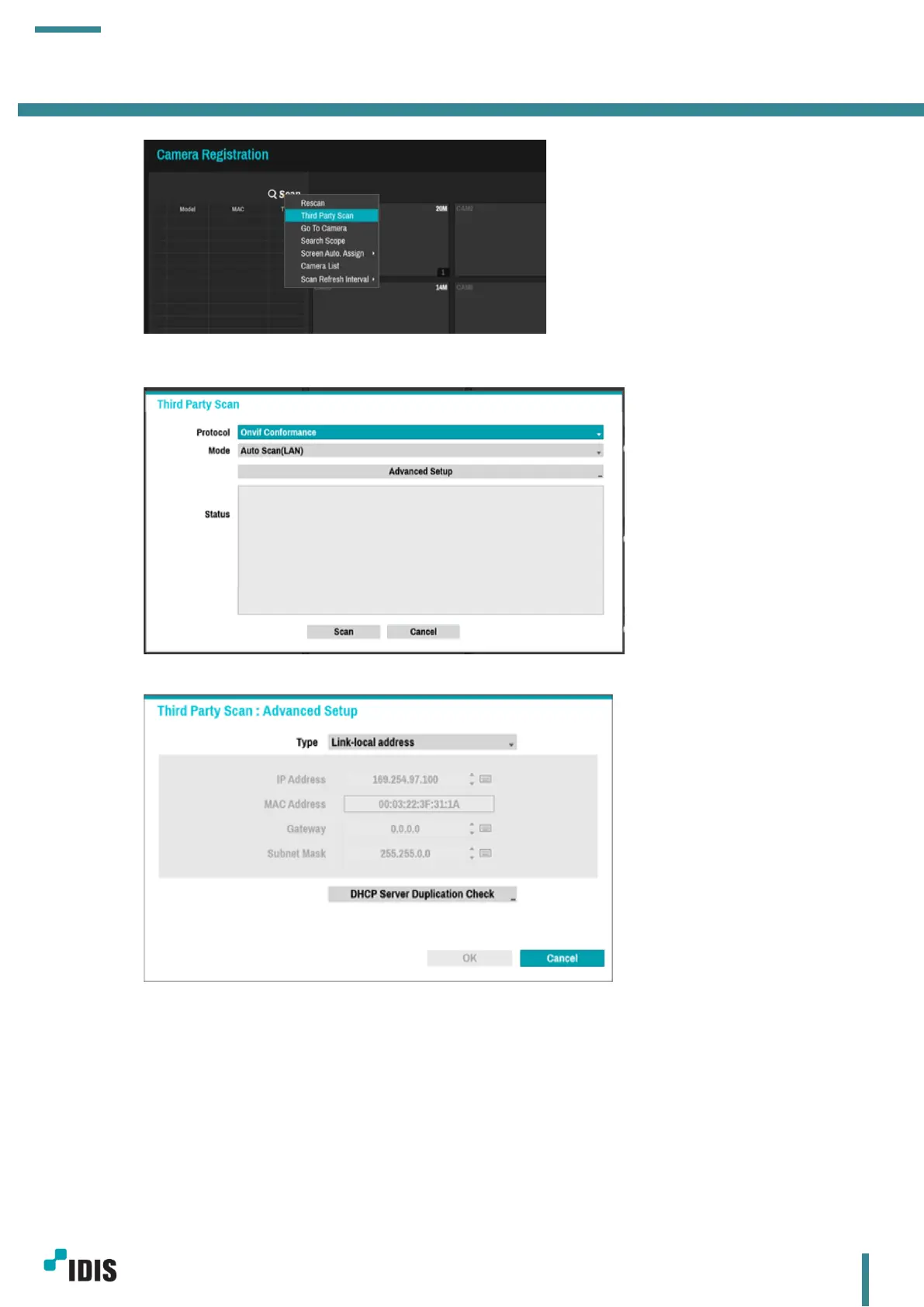
2. Select Protocol as ‘Onvif Conformance’
3. Enter Advanced Setup to setup IP address of NVR video-in network
This Camera support both Link-local address IP range and static(DHCP) IP address, select desired
IP address
4.2 Camera is in Link-local IP range
a. When Link-local IP is set from step 3. Click scan to discover devices



 To Next Page