Part 2 - Conguration
35
Disk
Temperature
Specify the threshold temperature.
Once any disk reaches this threshold,
the system will issue an alert.
Disk
S.M.A.R.T.
Monitors disks that support
S.M.A.R.T. and noties the user if a
disk error is detected.
Fan Error
Noties the user when the fan inside
the system malfunctions.
eSATA
Disconnected
Noties the user if an eSATA device
becomes disconnected while in use.
Disk Cong
Change
It will be highlighted when the NVR
reboots after the hard disk drive has
been replaced.
No Storage
Found
It will be highlighted when no hard
disk drive has been connected.
• For system events, only an e-mail notication of
actions can be selected.
• In order to use the Notify(Callback) feature, the
NVR must be registered to the remote program on
the receiving PC's end.
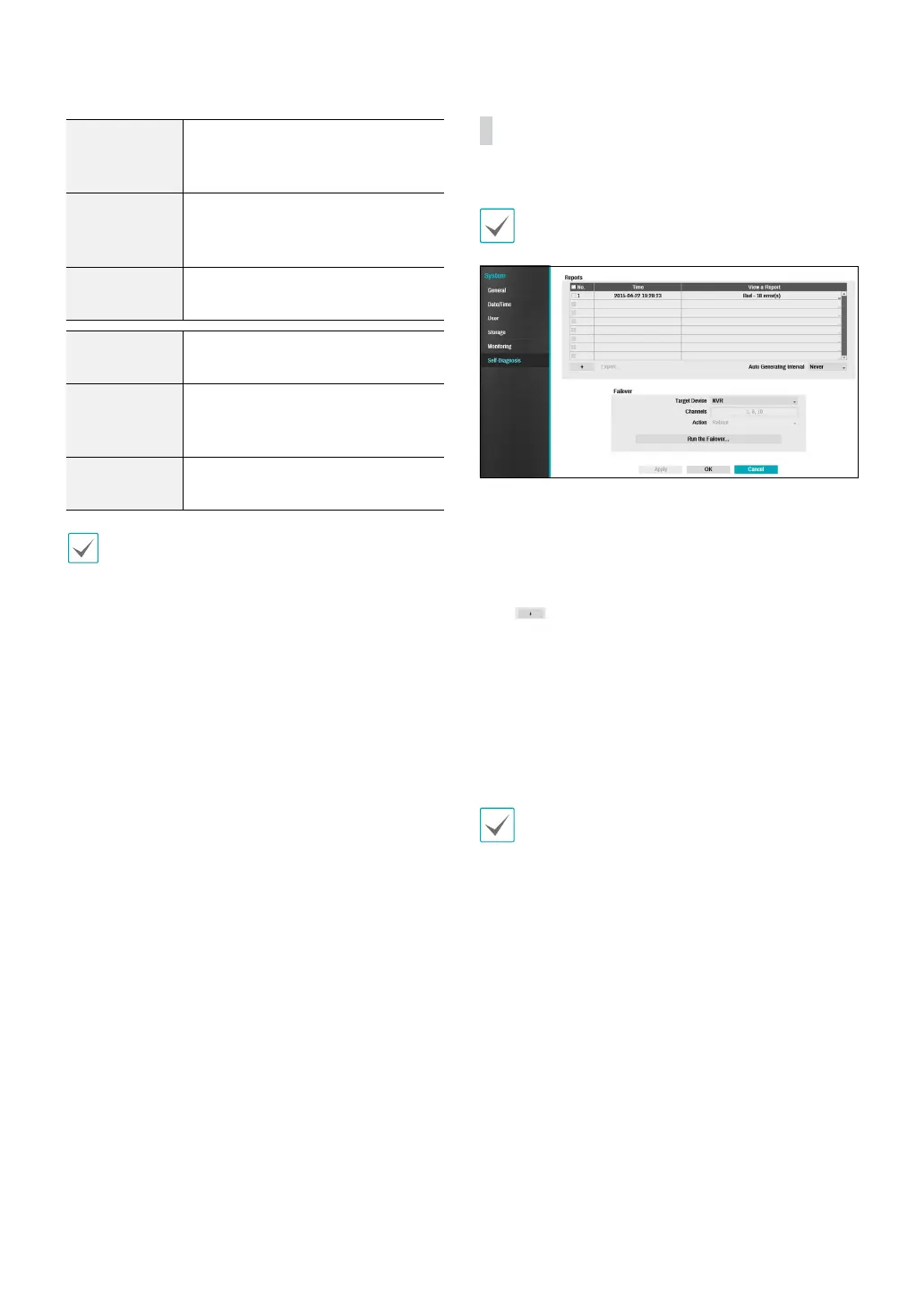
Self-Diagnosis
Use this option to congure self-diagnostic settings.
This feature is also supported when connected to the
NVR from a remote program.
● Reports
– No.: Selects which reports to export.
– Time: Displays when you started the self-diagnosis.
– View a Report: Briey displays whether the report
is “Good” or “Bad”.
–
: Click the + icon at the bottom left corner of
the screen to run the self-diagnosi.
– Export: Saves the Saves the reports to a storage
device, such as the USB port and NetFS site, by
converting them to HTML format. You can export
more than one report at a time by selecting
multiple reports.
– Auto Generating Interval: Select any time period
between 6 hours and 7 days.
• The reports are stored in up to 24 les. If you have
congured Auto Generating Interval as one-day
period, only the the reports from the last 24 days
can be viewed.
• If the NVR is turned o, the reports will
automatically turn o.
• The reports are organized by recent date and time.
● FailOver: Whene a problem is detected on the target
device, click the Run the failover button to resolve
the problem.
– Target Device.: Selects which device to run the
failover.
– Channels: Select the camera channel if a camera is
set to the target device.
– Action: Select the type of action to run the failover.
– Run the failover: Click the Run the failover



 To Next Page