Part 2 - Conguration
63
NetFS
This allows you to register NetFS sites for the following
functions:
● Upload or download les to upgrade, import/export
of a setup le, log export, self-diagnosis export, or le
print on an FTP site. The related settings are as follows:
:
(Setup) in the live monitoring mode - System
menu - General tab - Upgrade, Import, Export or
SystemLog - Self-Diagnosis Export
:
(Setup) in the live monitoring mode - System
menu - Self-Diagnosis Export
: in the search mode -
(Print)
● Upload clip-copy les to an FTP site. The related
settings are as follows:
:
(Export) in the search mode - A-B Clip-Copy or
Clip-Copy.
● FTP notication of an event detection (system events
excluded). The related settings are as follows:
:
(Setup) in the live monitoring mode -
Notication menu - FTP tab - FTP setting,
:
(Setup) in the live monitoring mode - Event
menu - Actions – Notify (FTP) setting)
• It is recommended that you use FileZilla and
smallFtp servers.
• This feature is supported only in the passive mode
(PASV) of the FTP site.
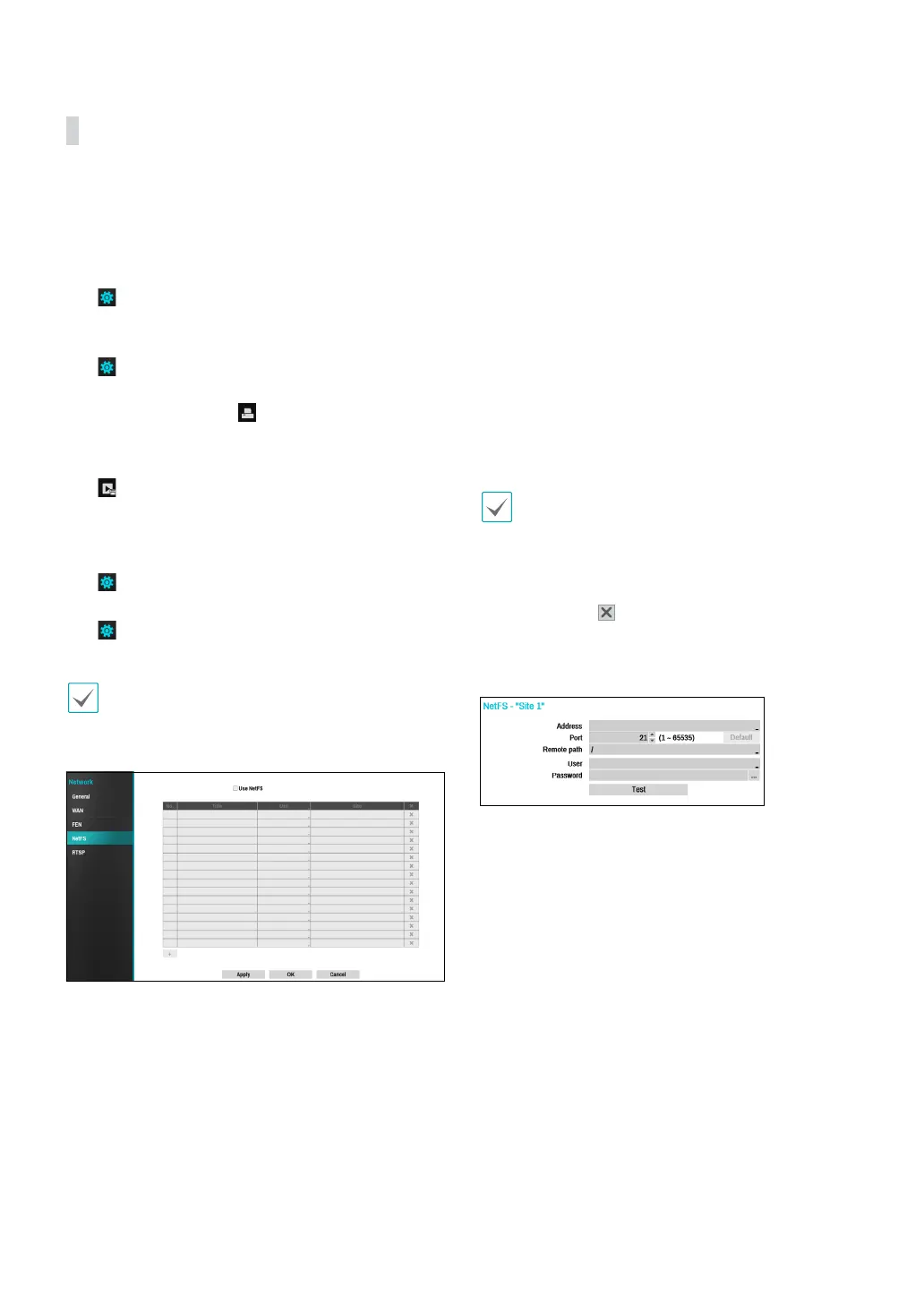
Select Use NetFS to use the NETFS feature. Click the +
icon at the bottom of the list to add up to 16 FTP sites.
● Title: Check if you wish to use FEN service.
● Use: Select the usage for the NetFS feature.
– N/A : Disables the NetFS feature.
– ALL: Enables the NetFS feature.
– Upgrade: Allows you to use the upgrade le that
was uploaded to the NetFS site.
– Setup: Allows you to import or export a setup le
that was uploaded to the NetFS site.
– System Log – Allows you to save system logs to the
NetFS site.
– Clip-Copy – Allows you to manually copy video clips
or automatically copy event-detected video clips to
the NetFS site.
– Print – Allows you to save images as a PDF le to
the NetFS site.
● Site: Enter NetFS site information.
• When you delete an FTP site from the NetFS setup
screen in the Network menu, the FTP site in the FTP
setup screen in Eventupload will be deleted, too.
• When you change the usage to anything other than
ALL or Clip-Copy, the FTP notication function will
be disabled.
• Select the
icon to delete the existing NetFS site.
Enter information about the NetFS site using the virtual
keyboard and then click the test buton to test the
current NetFS site.
● Address: Enter the NetFS address using the virtual
keyboard.
● Port: Congure the port to connect to the NetFS site.
● Remoth path: Enter a folder path to the NetFS site
using the virtual keyboard.
● User / Password: Enter the user and password to
access the NetFS site using the virtual keyboard.
● Test: Test the current NetFS site settings you have
entered.



 To Next Page