ID TECH SREDKey 2 Integration Manual
Page | 16
8.1. Using the Universal SDK Demo Application
Each Command section offers a drop-down list of sub-sections for obtaining, testing, or editing
information for device status or development.
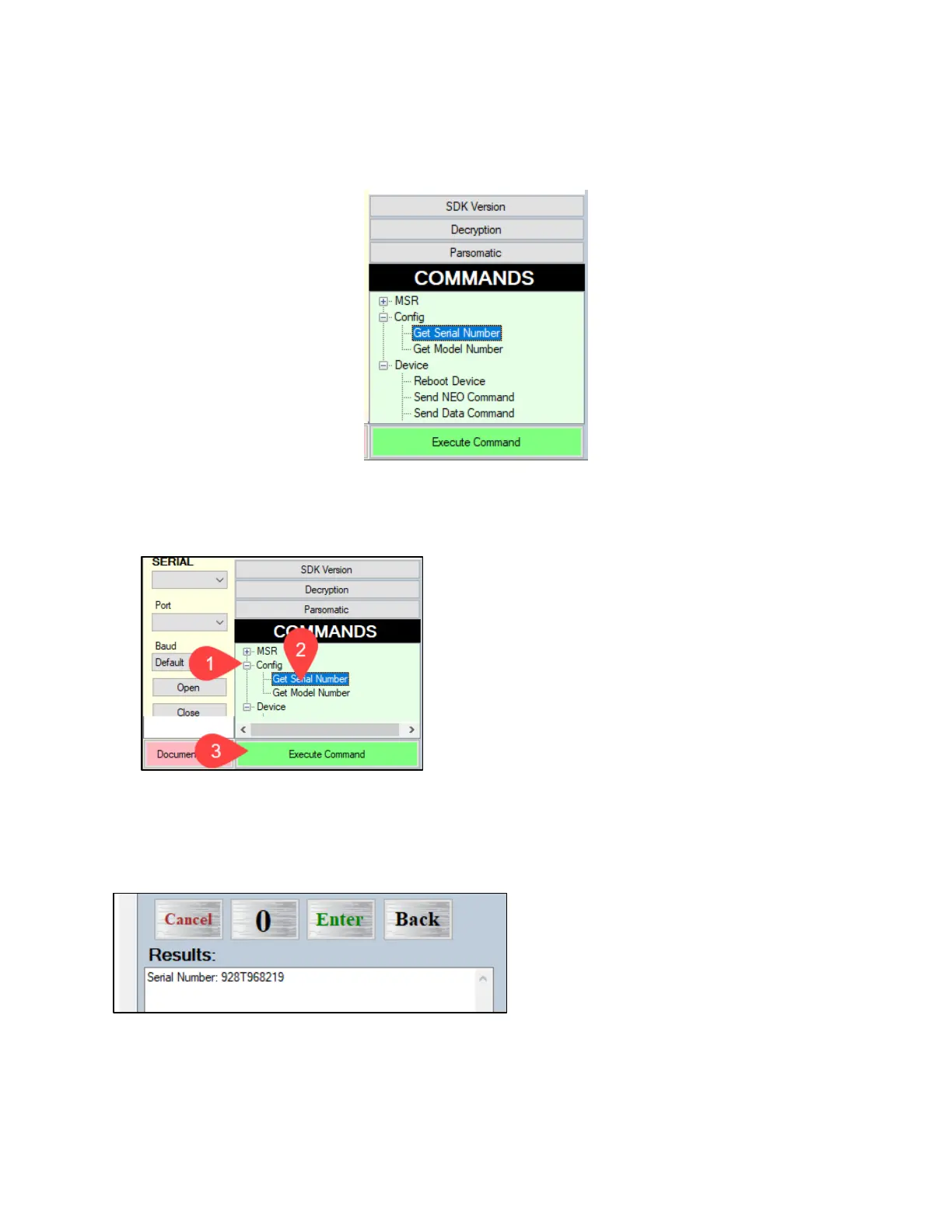
To use a command, open the Command tree and double-click the desired command or select a
command and click Execute. Data displays in the Log panel and device results in the Results panel.
For example, to get a SREDKey 2’s serial number:
1. Click Config
2. Click Get Serial Number
3. Click Execute Command.
The Results panel displays the device’s serial number.



 To Next Page