ID TECH SREDKey 2 Integration Manual
Page | 20
8.5. Testing a SREDKey 2 Device
1. Connect the SREDKey 2 to the computer.
a. If necessary, make sure the SREDKey 2 is in USB-KB mode
; this setting allows the
reader to directly populate Parsomatic.
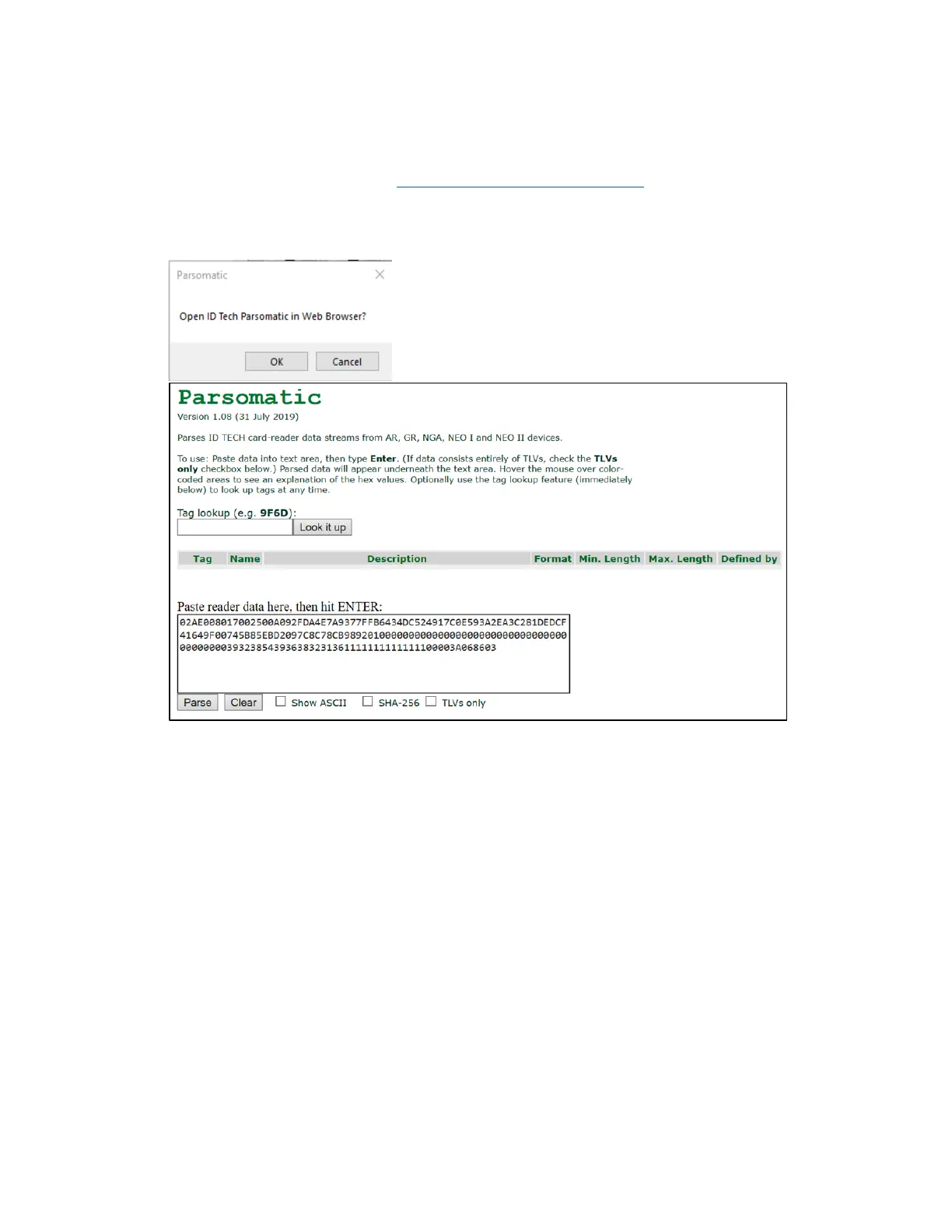
2. Click Parsomatic and OK to open the ID TECH Parsomatic page in a web browser. The
Parsomatic tool parses ID TECH card-reader data streams.
3. Click Clear at the bottom of the the Parsomatic screen.
4. Keep the Parsomatic window open and swipe the demo card through the SREDKey 2; the
data from the reader will populate the reader data field.
5. Click Parse to display the demo card’s information parsed for readability.



 To Next Page