ID TECH SREDKey 2 Integration Manual
Page | 22
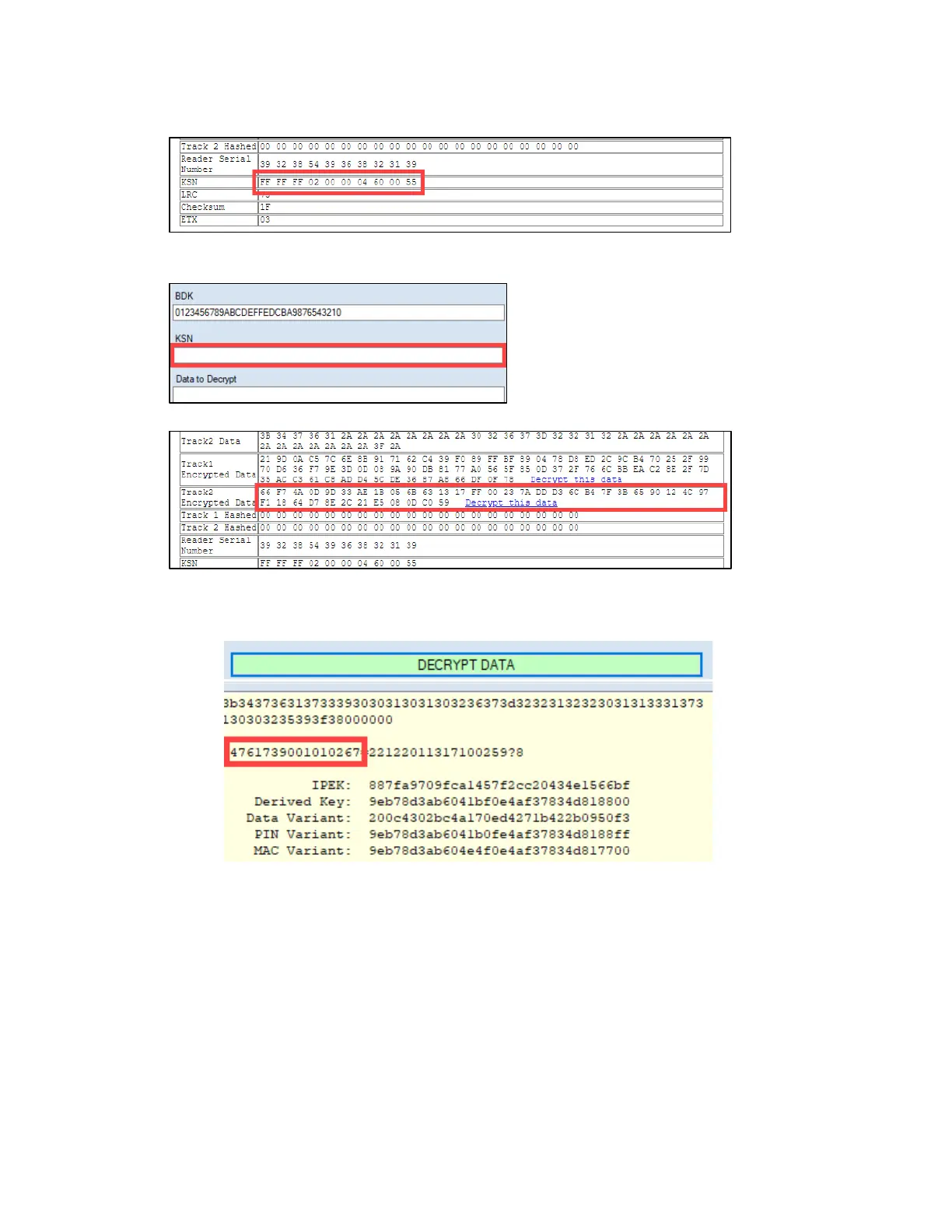
7. Copy the data in the KSN field.
8. Return to the USDK Demo app and click Decryption. The ID TECH Decrypt window will appear.
9. Paste the KSN data into the KSN panel.
10. Return to the Parsomatic window and copy the Track2 Encrypted Data field’s contents.
11. Return to the ID TECH Decrypt window, paste the Track2 Encrypted Data into the Data to
Decrypt field, and click Decrypt Data and to display the decrypted data.
a. The yellow output field shows that the card number has been decrypted by the tool:



 To Next Page