F OPERATING FAULTS
Operating faults may lead to document jams inside the printer and/or
to the display of an error message.
NOTE
The alarm buzzer warns the operator of an error
condition.
Note the error message displayed, then key “Reset”
before correcting the problem.
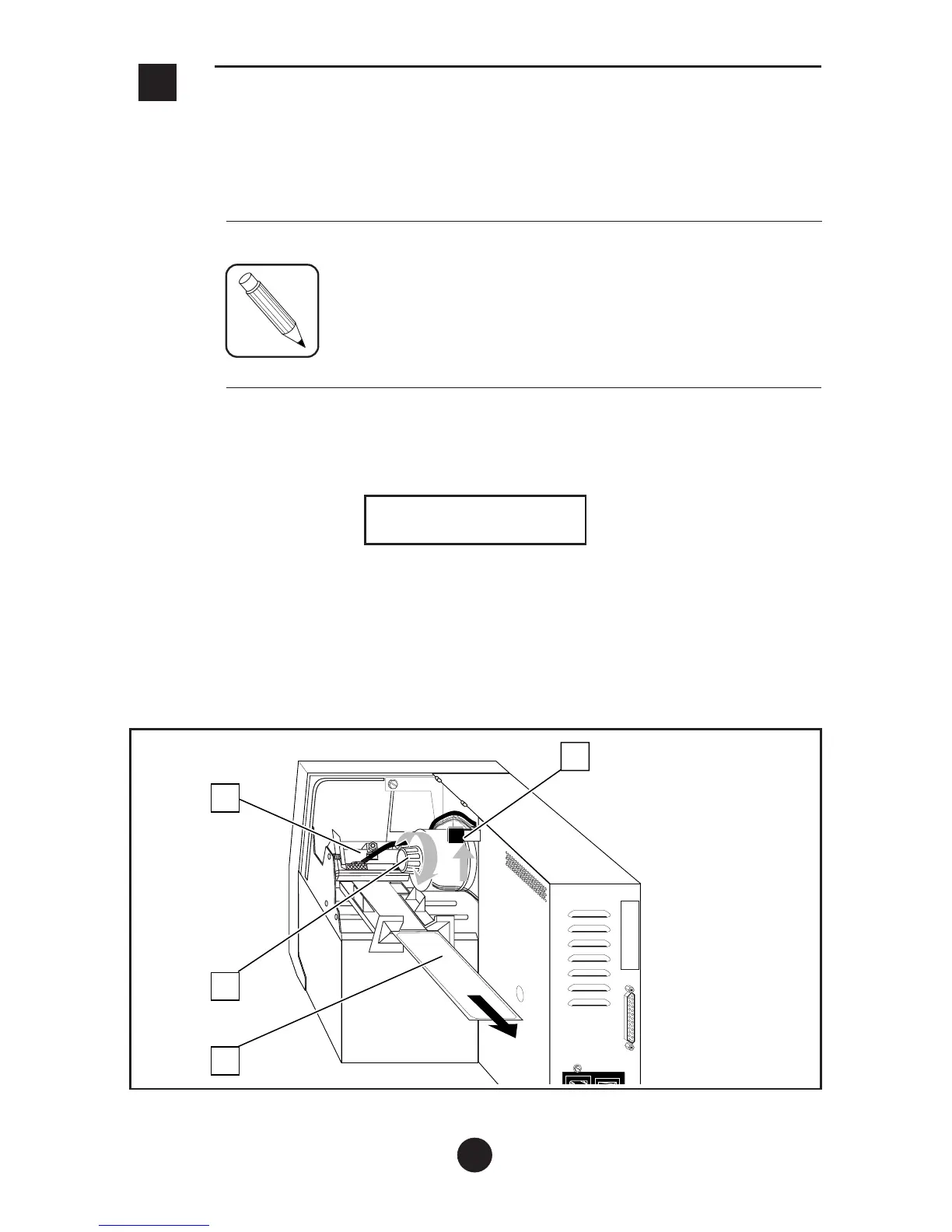
1) Clearing Document Jams
When the printer displays:
MECHANICAL ERROR
paper jam
a) Open the right-hand cover and unlock the printhead (1) using the
printhead lever (2).
b) Separate the jammed document (3) from the rest of the stock.
c) Use the paper jam clearing knob (4) to release the jammed
document (3) and remove it from the printer.
26
3
4
2
1



 To Next Page