26
13 Troubleshooting
Display Error
[SC1] flashes at 2 Hz
LED OUT1 flashes at 4 Hz
Overload switching output
[
ot
] and the process value
change at 0�5 Hz
Overtemperature in the unit (> 75 °C)
[
ot
] and the process value
change with 0�5 Hz
LED OUT1 flashes at 4 Hz
Overtemperature in the unit (> 120 °C)
> The switching output is deactivated�
LED OUT1 flashes at 2 Hz Faulty connection of the supply voltage
No display Supply voltage too low
[UL] Measuring range not reached
[OL] Measuring range exceeded
14 Maintenance, repair and disposal
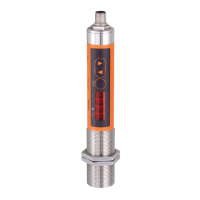
A soiled lens leads to a wrong display of the measured value�
► Check the lens regularly and clean it, if required:
- Remove dust by blowing or use a soft brush�
- Use clean, soft and lint-free cloths or those offered on the market for lens
cleaning�
- For heavier contamination, use washing-up liquid or liquid soap� Then careful-
ly rinse with clear water� Hold the lens downwards�
- Exert only little pressure on the lens during cleaning to avoid scratches�


 To Next Page