UK
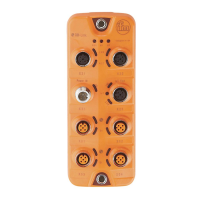
CompactModul Metall CR2032
21
11.2 Communication Profile Area; index 1000 to 1FFF
Index S-Idx Designation Type Default Description
1000 0 Device type u32, ro 0x000F0191 Profile 401;
Inputs and outputs, binary and
analogue
1001 0 Error register u8, ro 0x00 Bit-coded to profile 301, the following
is supported:
0b 0000 0000 no error
0b 0000 0001 generic error
0b 0001 0000 communication error
0b 1000 0000 manufacturer specific
1003 0 Pre-defined
errorfield
u8, ro 0x04 An error list with 4 entries is support-
ed�
1003 1���4 Error history u32, ro 0x00 Error occured, coded according to
the EMCY list, the last error is in the
subindex 1�
1005 0 COB ID
synch objekt
u32, rw 0x00000080 - Module generates no synch mes-
sage (bit 30 = 0)
- 11-bit identifier system (bit 29 = 0)
- Identifier of the synch message
1006 0 Communic
Cycle�
u32, rw 0x00000000 Max� time between 2 synch objects in
µs� Useful resolution = 1ms
1008 0 Device name str, ro CR2032 Device name
1009 0 HW Version str, ro x�x Hardware version
100A 0 SW Version str, ro x�x Software version
100C 0 Guard time u16, rw 0x0000 Time in ms
Within this time the output module
expects a "node guarding" of the
network master�
If the value 0 is entered here, this
function is not supported�
Note:
Node monitoring with "node guarding"
or "heartbeat" can only to be used as
an alternative�
100D 0 Life time factor u8, rw 0x00 If no "node guarding" is received for
"guard time" x "life time", the module
switches the outputs off�
The module changes the CANopen
status to PREOP�
The result from "guard time" x "life
time" must be between 0 and 65535�
1010 0 Number of
save options
u8, ro 0x01 Number of the "save" options
1010 1 "Save all
parameters”
u32, rw 0x02 Automatic saving of all changed
parameters OFF/ON�
0 = AutoSave OFF
2 = AutoSave ON


 To Next Page