EasyManua.ls Logo

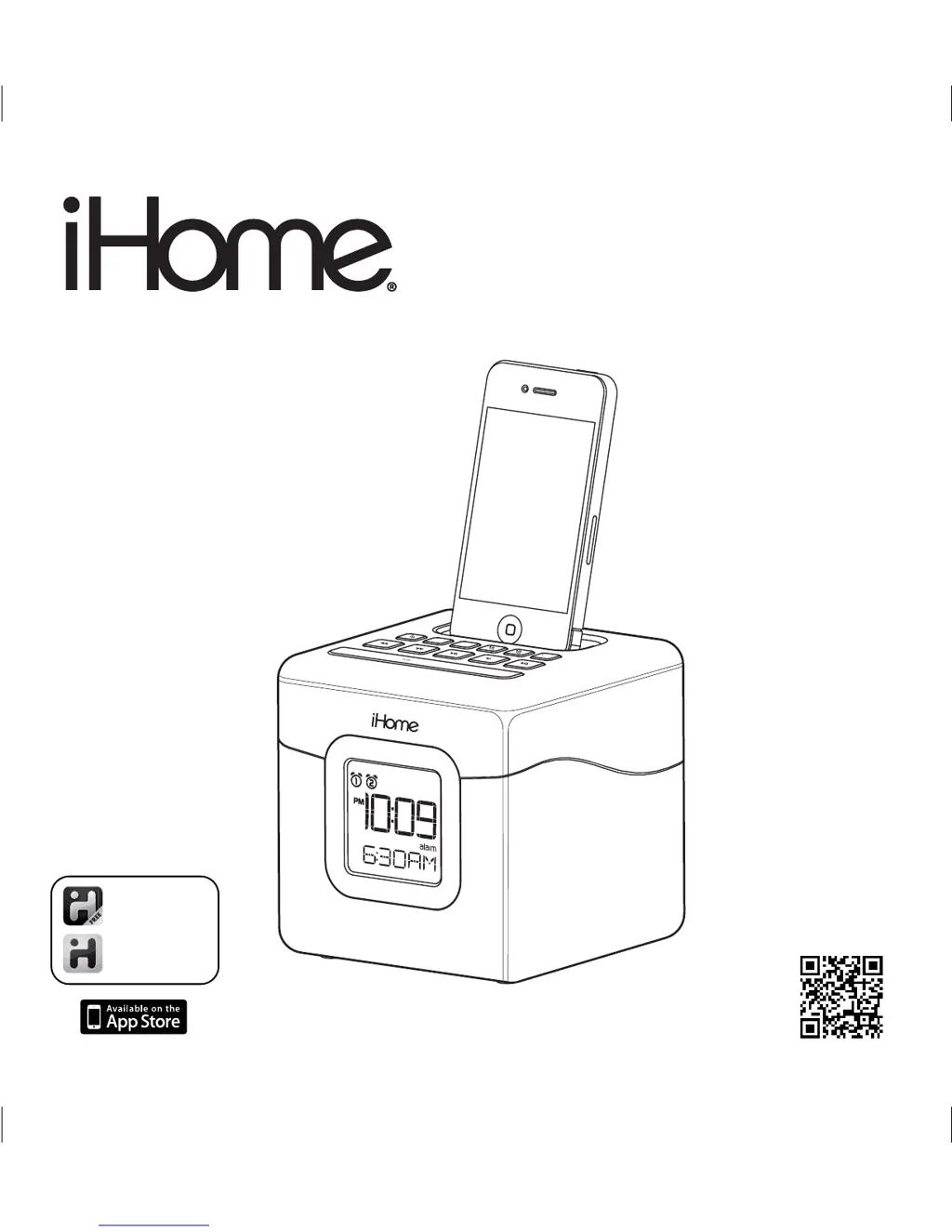
iHome IP18 - User Manual

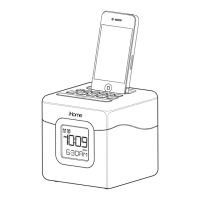
iHome IP18
12 pages
Print Icon
To Next Page IconTo Next Page
Loading...
Model: iP18
Color Changing
Dual Alarm Clock Speaker
for Your iPhone / iPod
Questions? Visit www.ihomeaudio.com
download QR code
reader app and scan
iHome Sleep
works with
iHome Radio
alarm clock app
internet radio app
Page 1
c
olor
sle
e
p
time
sno
o
z
e
/ d
imm
e
r
Model: iP18 (For US & Canada)
Instruction Manual (English)
Print color : Black text on white paper
Size of manual: 178mmW x 178mmH
Date: Dec 16, 2011

Questions and Answers

  • M
    mary38Jul 30, 2025
    Why didn't my iPhone/iPod charge up on my iHome Docking Station?
    • T
      Taylor GillJul 30, 2025
      If your iPhone/iPod isn't charging on the iHome Docking Station, it may not be docked properly. Remove your iPhone/iPod from the connector and check for any obstruction on the connectors in the dock and on your iPhone/iPod. Then reseat it in the dock. Please make sure your iPhone/iPod is working properly before docking it to the unit.
  • R
    Ryan MartinezAug 5, 2025
    How to fix iHome IP18 Docking Station that doesn't respond or have no power?
    • S
      scott66Aug 5, 2025
      If your iHome Docking Station isn't turning on, there are a couple of things to check: * First, ensure the AC adapter is securely plugged into both a working wall outlet and the power supply jack on the back of the unit. * Second, verify the wall outlet is functioning by plugging another device into it.
  • G
    gatesmeganAug 10, 2025
    Why is the sound distorted on my iHome IP18?
    • K
      Kimberly CookAug 10, 2025
      Sound distortion from your iHome Docking Station may occur because the volume level is too high, so try decreasing the unit volume. It may also be caused by a poor quality sound source. If the original sound source file is of poor quality, distortion and noise are easily noticed with high-power speakers. Try a file from a trusted audio source such as iTunes. If you are using an iPod Shuffle or external sound source like older generation iPod, try reducing the output volume on the device itself. Also, try turning bass boost OFF under iPod settings.
  • A
    aliciahodgeAug 15, 2025
    What to do if my iPhone/iPod cannot dock properly to my iHome Docking Station?
    • A
      aaronmorenoAug 15, 2025
      If your iPhone/iPod isn't docking properly with your iHome Docking Station, the issue might be due to an obstruction in the dock area or on your iPhone/iPod. Remove your iPhone/iPod from the connector and check for any obstructions on the connectors in the dock. If you're using a case or skin on your iPhone/iPod, try removing it before reseating it in the dock.
  • J
    Jeffery BruceAug 19, 2025
    Why is there no sound when playing my iPhone/iPod on iHome IP18?
    • G
      georgetaylorSep 12, 2025
      If you're playing your iPhone/iPod on the iHome Docking Station but there's no sound, it might not be docked correctly. Remove your iPhone/iPod from the connector, inspect the connectors in the dock and on your iPhone/iPod for any obstructions, and then reseat it in the dock. Press the play button on your iPhone/iPod to play it manually. Ensure your iPhone/iPod is working correctly before docking it to the unit. Connect them with Line-in.
  • A
    April WilliamsAug 25, 2025
    Why is the LED color lighting effect missing or not working on my iHome Docking Station?
    • B
      burkestephanieAug 26, 2025
      If the LED color lighting effect is missing or not working on your iHome Docking Station, there are a few potential causes: * The LED color mode might be set to OFF. Press the Color Button to cycle through the different color LED modes. * The dimmer might be set to OFF. Press the Snooze/Dimmer Button to cycle through the different brightness modes. * The unit might be running on backup battery. Ensure the AC adapter is properly connected to both a working wall outlet and the power supply jack on the unit.

Summary

Controls and Indicators

Top Panel Controls

Details the buttons and indicators on the top surface of the iP18 unit.

Back Panel Ports and Connections

Describes the adapter jack and other connections on the back of the iP18.

iP18 Quick Start Guide

Power and Charging Setup

Instructions for connecting power and charging your iPhone/iPod.

Dock Insert Selection

Guide to choosing the correct dock insert for your iPhone or iPod model.

Automatic Time Synchronization

How to sync the unit's clock automatically with a docked iPhone or iPod.

iPhone;iPod Playback Control

Steps to play, pause, and manage your iPhone/iPod audio playback.

Color Change Mode Operation

Instructions for operating the color changing LED feature.

iHome IP18 Specifications

General IconGeneral
RMS rated power- W
Audio output channels- channels
BluetoothNo
Headphone connectivity-
AC input voltage100 - 240 V
Built-in chargerYes
Power source typeAC
Product colorWhite
Dimensions (WxDxH)120 x 120 x 120 mm
Apple docking compatibilityiPhone, iPhone 3G, iPhone 3GS, iPhone 4, iPhone 4S, iPod, iPod Mini 1, iPod Nano 1, iPod Nano 2, iPod Nano 3, iPod Nano 4, iPod Nano 5, iPod Nano 6, iPod Touch 1, iPod Touch 2, iPod Touch 3, iPod Touch 4
Weight and Dimensions IconWeight and Dimensions
Width120 mm
Weight621 g

Related product manuals