ENGLISH
OPERATING THE MONITOR 29
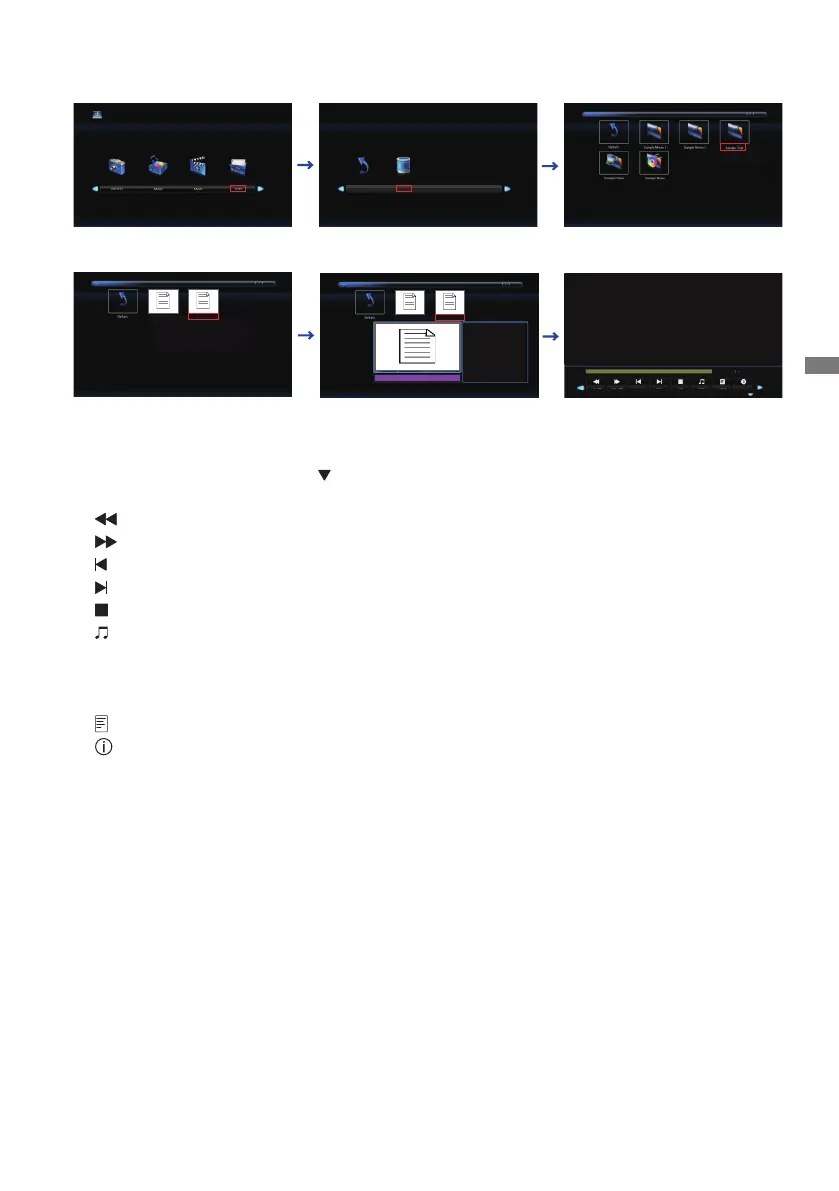
Viewing Text les
1.Select "Text" and press the OK button, then select "C" and press the OK button.
2.SelecttheTextleandpresstheOKbutton.
<Operation Menu>
• Menu Display : Press the OK button on the remote control.
• Menu non-Display : Press the
/ EXIT button on the remote control.
• Return : Previous screen
•
Prev. Page : Previous Page
•
Next Page : Next Page
•
Prev. : Previous Text
•
Next : Next Text
•
Stop : Stops Text
•
Music:MusicOn/O(MusicOn/OisswitchedbypressingtheOKButtonsuccessively.
Ifthereisamusicleinthesamedevice,musicwillbeplayedifitissettoOn.All
music will be played, but if there is music selected by MUSIC (from the Player menu) ,
it plays with priority.)
•
Playlist : Displays the Text list
•
Info:Displaysthecurrentlestatusinformation.
C
Return
Text sample1.txt
Text sample2.txt
Text sample1.txt
Text sample2.txt
Text sample2.txt
Size :
218 KBytes
Language list
English
Deutsch
Français
Nederlands
Polski
Русский
Česky
Italiano
...
Prev Page
Next
Stop
Music
Playlist
Next Page
Prev.
Info











 To Next Page