English
7
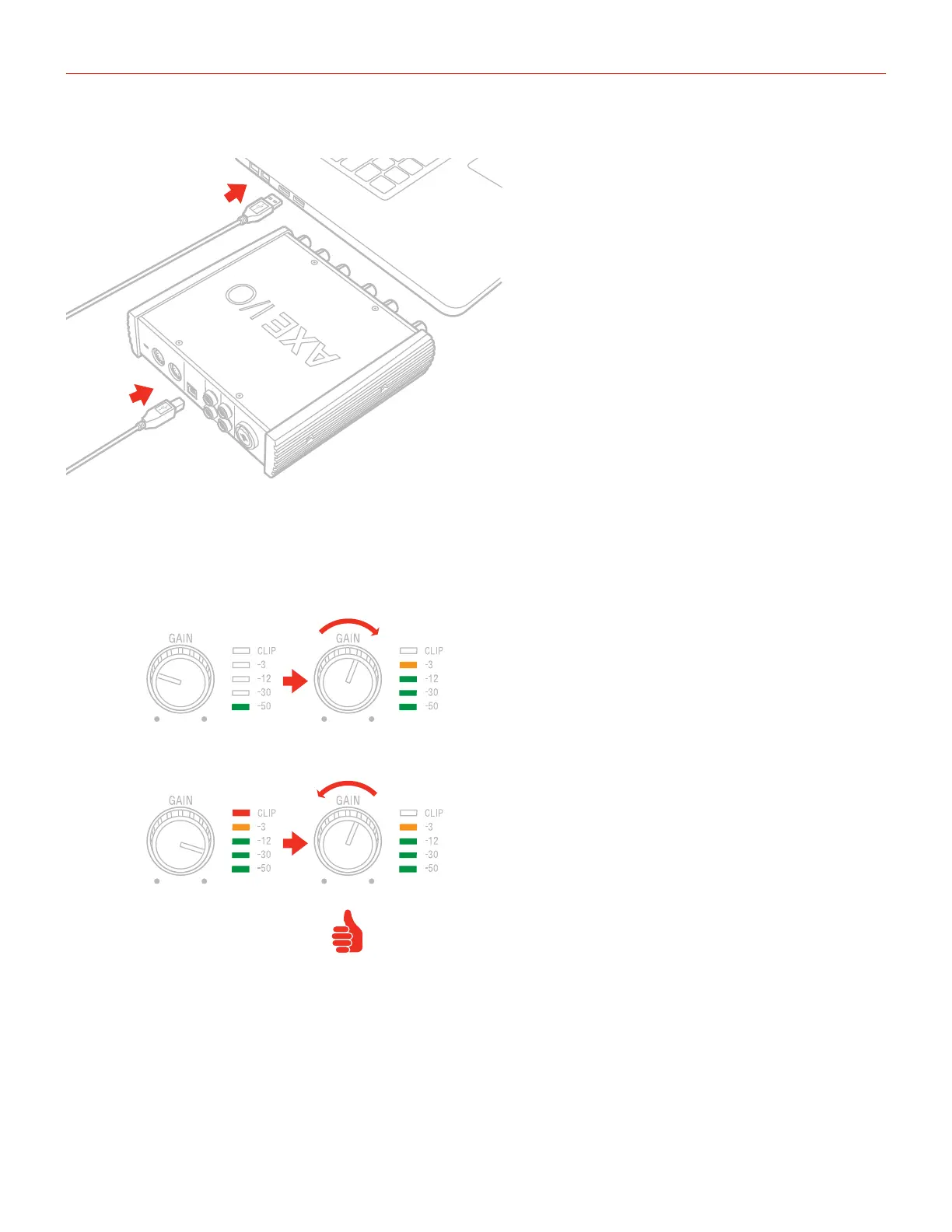
2. Connect the AXE I/O SOLO to your computer with the supplied USB cable.
3. You can connect instrument signal to the front Jack 1/4” Instrument input 1, or microphone and line level
signal to the back combo XLR input 2.
4. Connect speakers, amplifiers or other line devices to the balanced outputs on the rear panel of AXE I/O
SOLO.
5. If needed, you can connect external MIDI devices to the physical MIDI ports (Input/Output).


 To Next Page
 Loading...