E)
Robot Charging
A.
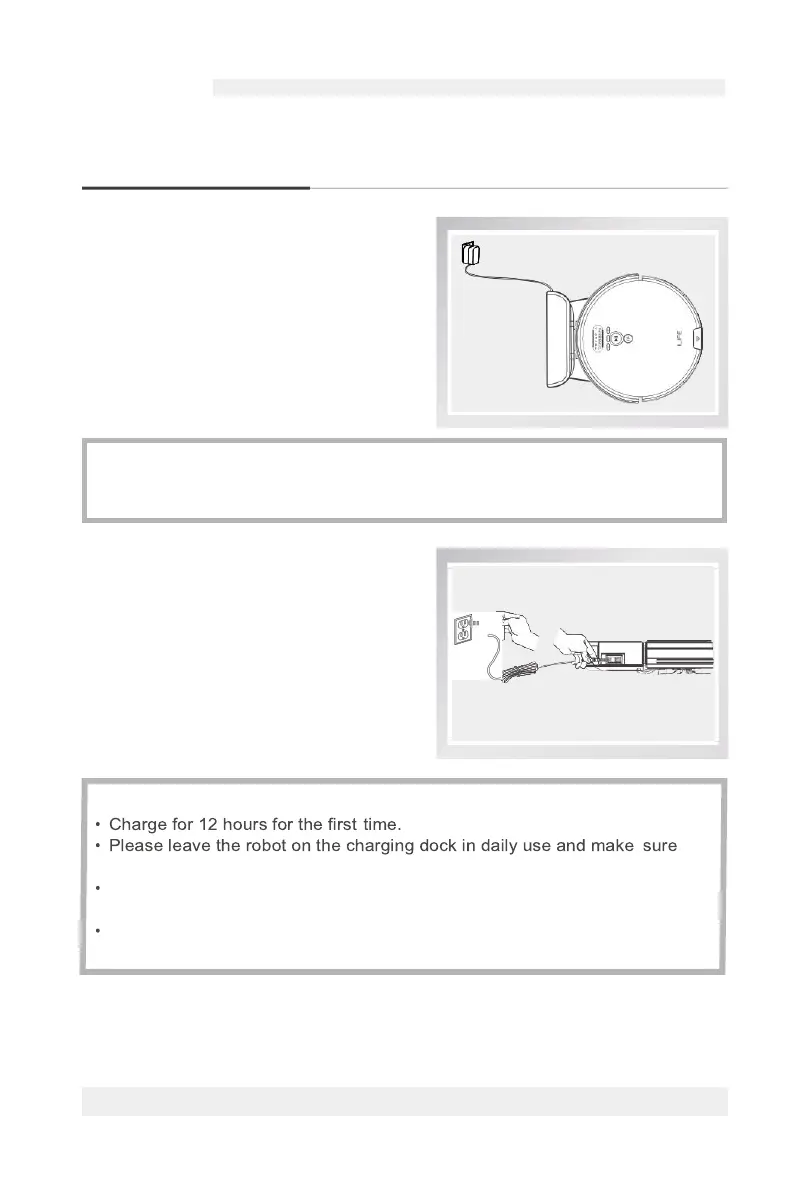
Auto Charging
•
Under the Auto Mode, the robot will
automatically search for the charging
dock when the power if low.
•
Under the selected mode, the robot will
begin to search for the charging dock
when the respective button
1
€t
I on the
remote control is pressed.
B.
Manual Charging
•
Tum on the power button on the side
of the robot, connect the adapter with
the robot and then plug the adapter
into the power socket.
* Reminder:
Please keep the charging contact points clean in daily use to ensure a good
connection.
Reminder:
that the charging dock is connected to the power and the main switch is on.
lf you won't use the robot for a long time, please fully charge it, turn off the
power and store it in a well-ventilated dry place.
Please don't use manual recharge mode under the Schedule Mode, otherwise
the robot can't perform the function of Schedule Mode.
For more details information, please visit: www.ilifecare.in



 To Next Page