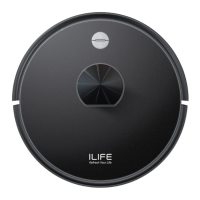
START/PAUSE/SLEEP
Sleeping mode: the power button is ON, the main switch and display panel does
not light up, and the robot is in the pause status.
Selected mode: the power button is ON, the main switch pulses and the display
panel lights up, and the robot is in the pause status.
Cleaning mode: the robot is the status of operation, the green light is on, and the
display panel displays the status of operation.
0START
•
Make sure that the power switch on the side of the robot is "ON".
•
Press
@)
button or
@
button to start operation.
•
Press
@
button or @ on the remote control to start operation.
f) PAUSE
•
"Pause" will switch the robot from Cleaning Mode to Select Mode, and it can
be enabled by pressing button
@ on the remote control or button @)
on the robot.
E)
SLEEP
• To enter the Sleep Mode:
A: Press button ® for three seconds.
B: The machine will automatically enter the Sleep Mode if no action is taken
for 3 minutes.
* Reminder:
lf the robot is in the Sleep Mode, press button
@) to wake up the robot
and enter the Select Mode, then press button
@) once again, and the
robot will automatically start operation.
* Reminder:
You can operate the machine again after it's paused.
For more details information, please visit: www.ilifecare.in



 To Next Page