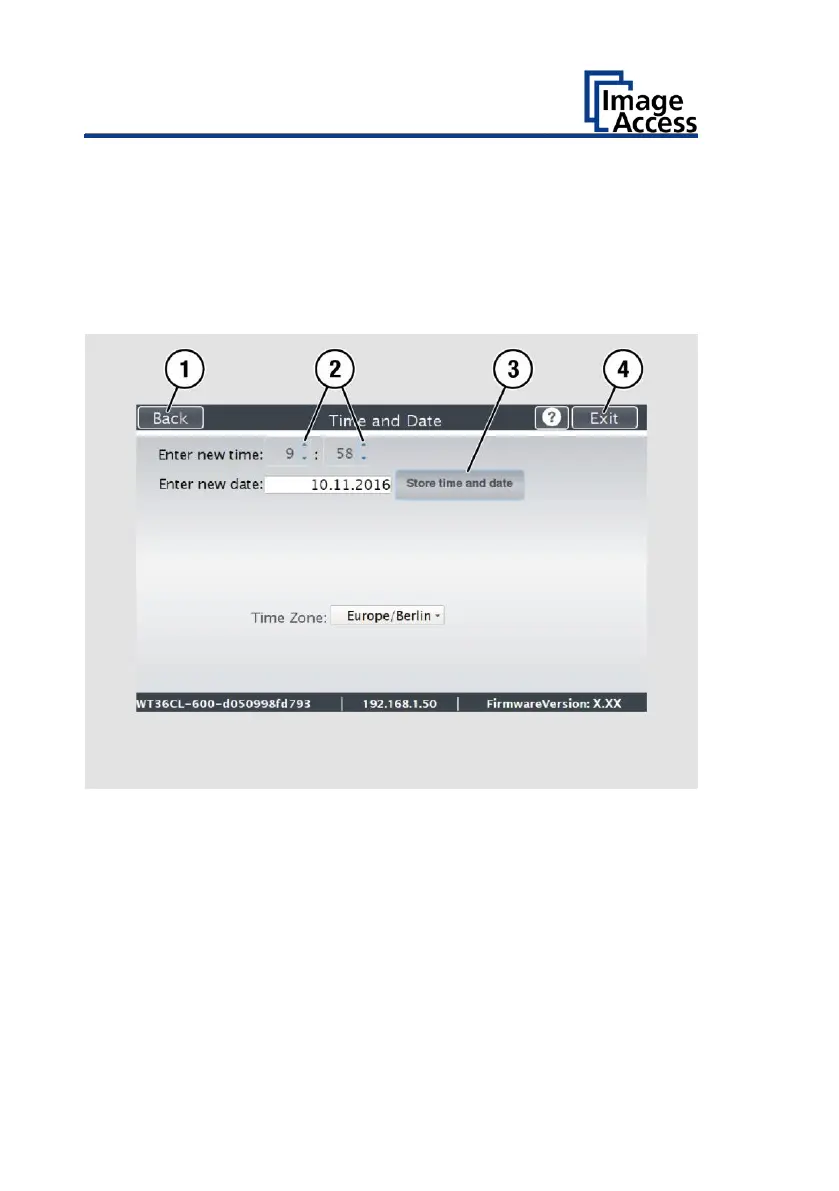
To set the time, proceed as follows:
➢ Tap on the "Enter time" field.
➢ To set the time later, tap the up arrow (2).
➢ To set the time earlier, tap the down arrow (2).
➢ To save the changed time, click on SET TIME AND DATE (3).
➢ To return to the previous submenu, tap BACK (1).
➢ To return to the Home Screen, tap EXIT (4).











 To Next Page