10
TEST STRIPS
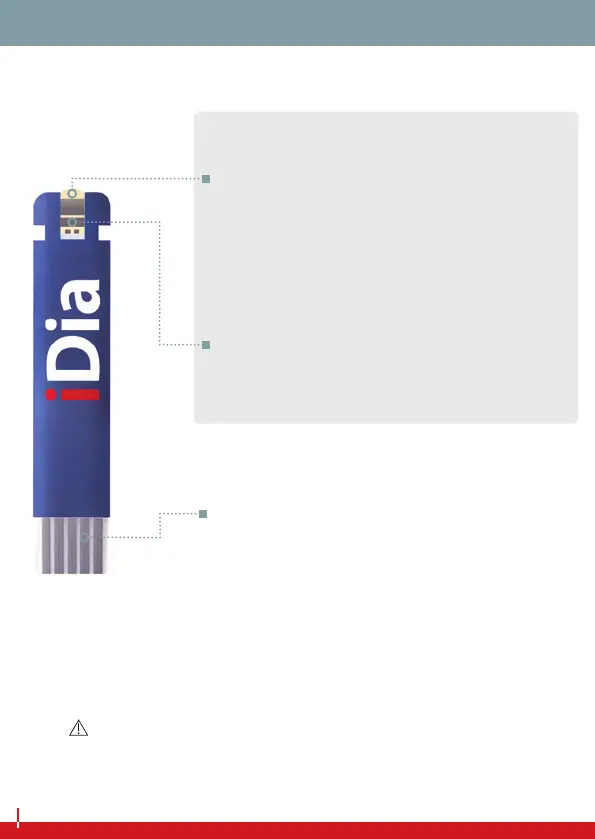
Application area
Touch the drop of blood with the appli-
cation area. The blood will be absorbed
automatically.
Measurement contacts
Insert the test strip into the test strip slot,
with the measurement contacts rst.
Test area
This area must be completely lled with
the blood sample.
MEASUREMENT FIELD
NOTE
You can touch the measurement eld of the iDia test strips freely
with clean, dry hands. The test result will not be aected.
DESCRIPTION OF SYSTEM COMPONENTS


 To Next Page