46
BATTERY REPLACEMENT
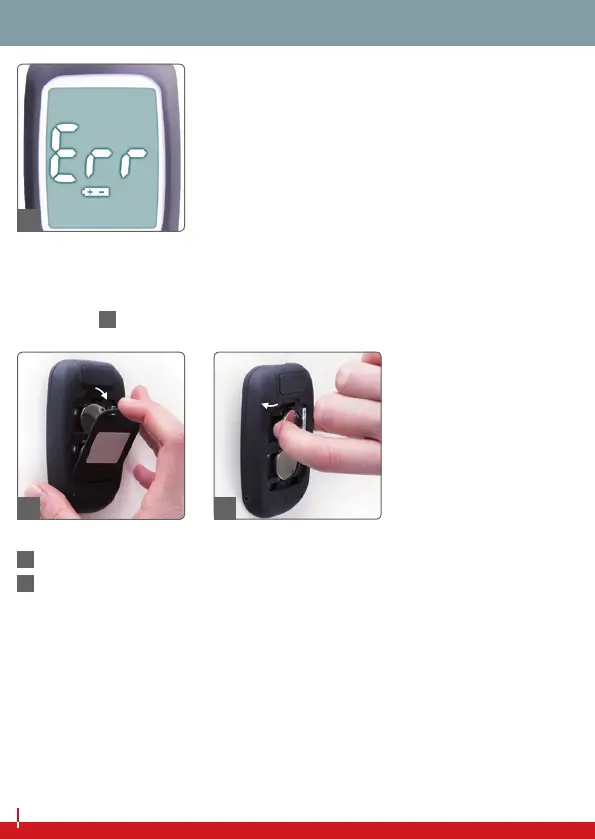
If the display shows the error message ‘Err + Battery symbol’, or if
the device no longer switches itself on, the battery needs to be
changed (
70
).
71
Remove the battery cover.
72
To remove the battery, lightly press it towards the right until the
battery is no longer held by the two plastic tabs on the le-hand
side. Aerwards you can remove the battery by liing it up
(le-hand side rst).
70
71
72


 To Next Page