27
CONTROL SOLUTION
TESTING WITH THE CONTROL SOLUTION
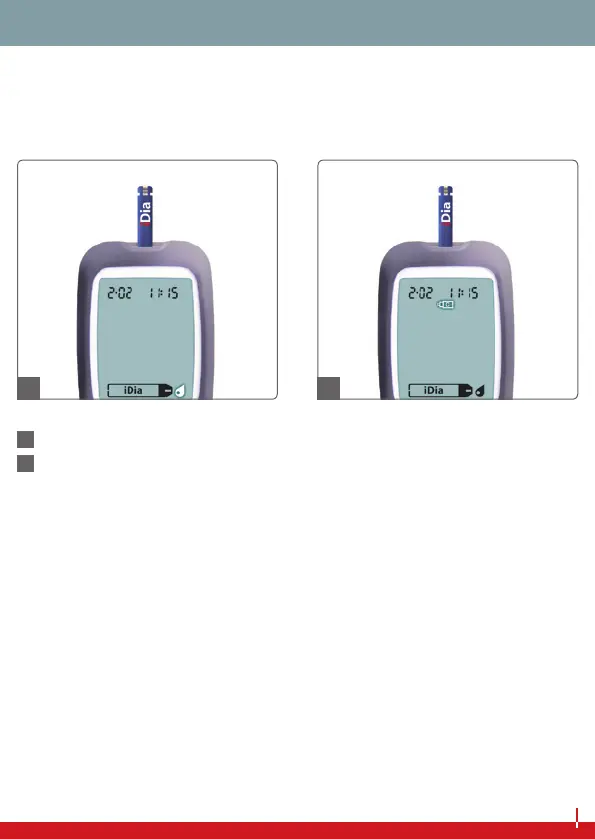
Insert an iDia test strip into the test strip slot. The blood glucose
monitoring system will switch itself on automatically.
44
The display will now prompt you to take a blood sample.
45
Press the main button and hold it for approximately 2 seconds
until the control solution symbol appears in the display.
You are now in the designated control solution measurement
mode. In this mode, measurement results of the control solution
are saved separately.
This prevents the average values of your personal blood glucose
measurements being falsied by the control solution measure-
ments.
44 45


 To Next Page