11
CONFIGURATION
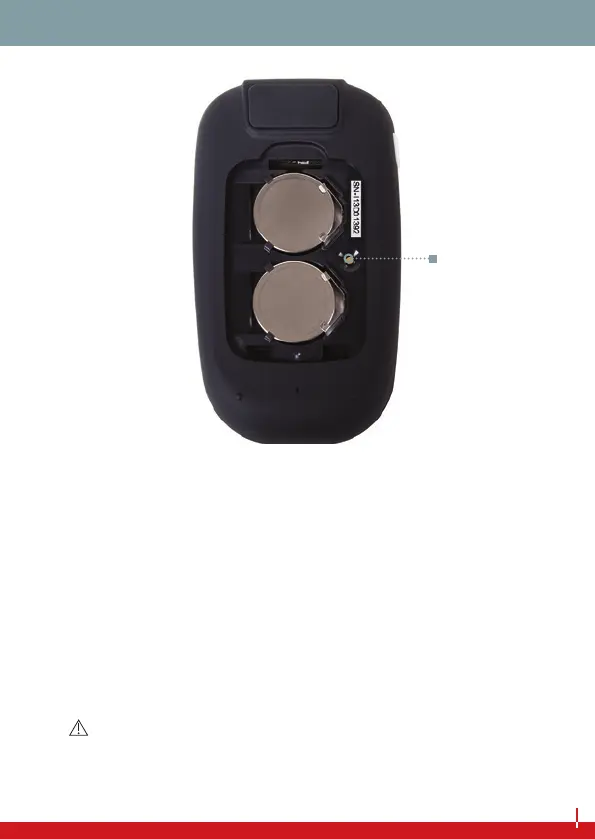
Set button
First remove the battery cover and check that the required 3 V lith-
ium batteries (type CR 2032) have been inserted. If this is not the
case, you will need new batteries (see page 46).
Then set the current date and correct time. To do this, press the set
button (using a pen, for example), and then press the main button
(this changes the ashing value on the display).
NOTE
Please be prepared for necessary battery changes by keeping two
spare batteries with you (Type CR 2032).
CONFIGURATION


 To Next Page