TABLE OF CONTENTS
44
DATA TRANSFER
All saved measurement results can be transferred to and managed
on a PC using appropriate soware. Only use the IME-DC USB data
cable for this purpose.
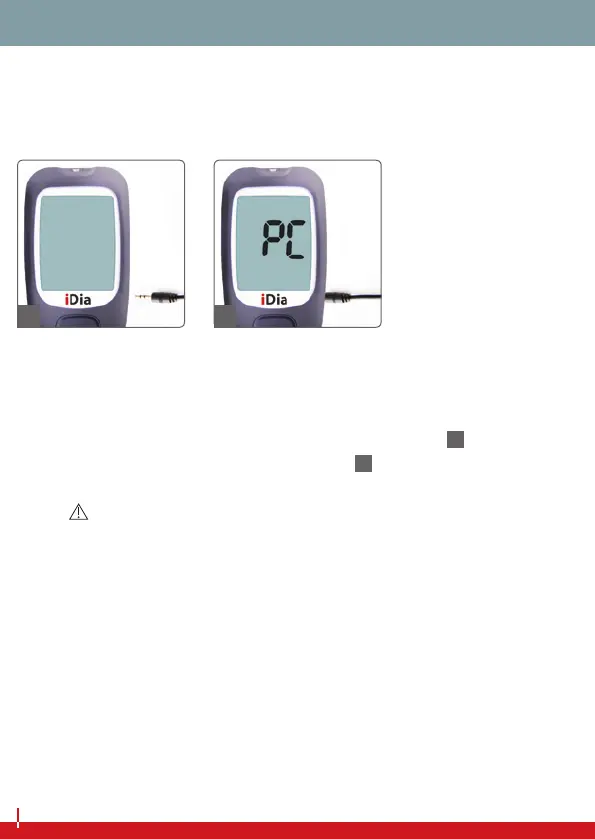
Insert the USB data cable into the USB port on your PC. Open a
compatible data transfer program on your PC. When prompted,
make sure that the blood glucose meter is switched o, and insert
the USB cable jack into the data port on the device (
68
). Now start
transfer of the data saved on the device (
69
).
NOTE
The basic requirement for data transfer is recognition of the blood glucose
meter by the data transfer program. If the iDia blood glucose meter is not yet
listed there, please contact IME-DC customer service. If data transfer is still not
possible e ven when your computer does recognise your device, this could be
due to missing drivers.
A list of additional drivers can be found on our homepage at www�imedc�de
under ‘Downloads‘.
68 69


 To Next Page