16
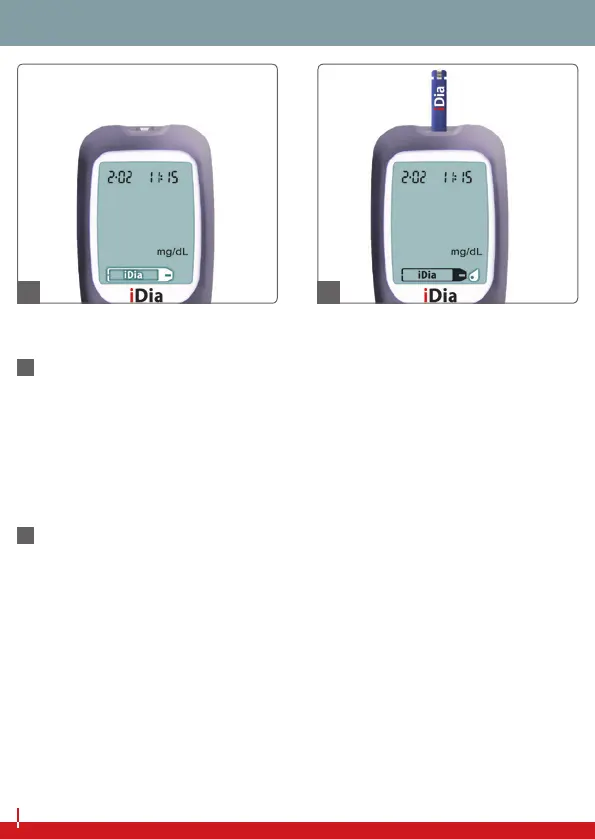
‘INSERT TEST STRIP’ NOTIFICATION
16
Aer the iDia blood glucose monitoring system has been
switched on with the main button, the test strip symbol will
appear in the display. You should now insert the test strip into
the device’s test strip slot. Correct insertion of the test strip will
be conrmed by an audio signal.
BLOOD SAMPLING NOTIFICATION
17
Once the test strip has been inserted into the test strip slot, the
blood intake symbol appears in the display. You now have three
minutes to perform a blood glucose measurement. If no blood
sampling takes place within this time, the iDia blood glucose
meter will switch itself o automatically.
SYMBOL DEFINITIONS
16 17


 To Next Page