TABLE OF CONTENTS
47
73
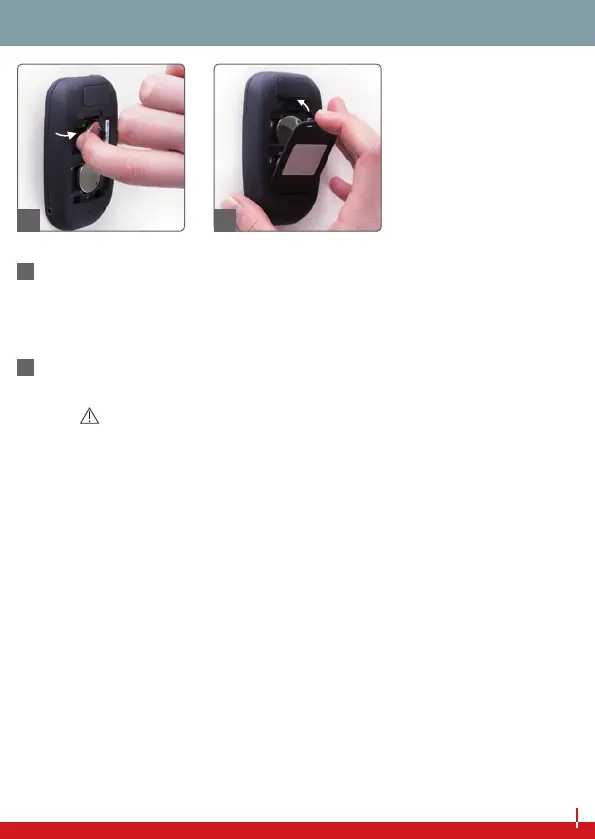
To t a new battery, rst slide it (plus icon up) underneath the
metal brackets (from le to right).
Using your thumb, insert the battery with light pressure towards
the le. The battery should now be held by all four tabs.
74
Close the battery cover.
NOTES
■ Aer inserting the new batteries, the device will switch to setup
mode, and the gures indicating the year will ash on the display.
■ Check the time and date settings, and refresh these if necessary
(see page 12 onwards).
■ If no changes are necessary, wait until the device shuts itself o
automatically (aer approximately 1 minute).
■ Your saved measurements will not be lost aer battery change.
■ Please use only 3 V CR 2032 batteries.
73 74
BATTERY REPLACEMENT



 To Next Page