52
INSTALLER
USERMAINTENANCE TECHNICIAN
TECHNICAL DATA
2.2 CLEANING AND MAINTENANCE
To preserve the appliance's integrity and keep the safety features, performance and reliability, which distinguish it, unchanged
over time, you must execute maintenance operations on a yearly basis in compliance with what is stated in the relative point at
“annual check and maintenance of the appliance”, in compliance with national, regional, or local standards in force.
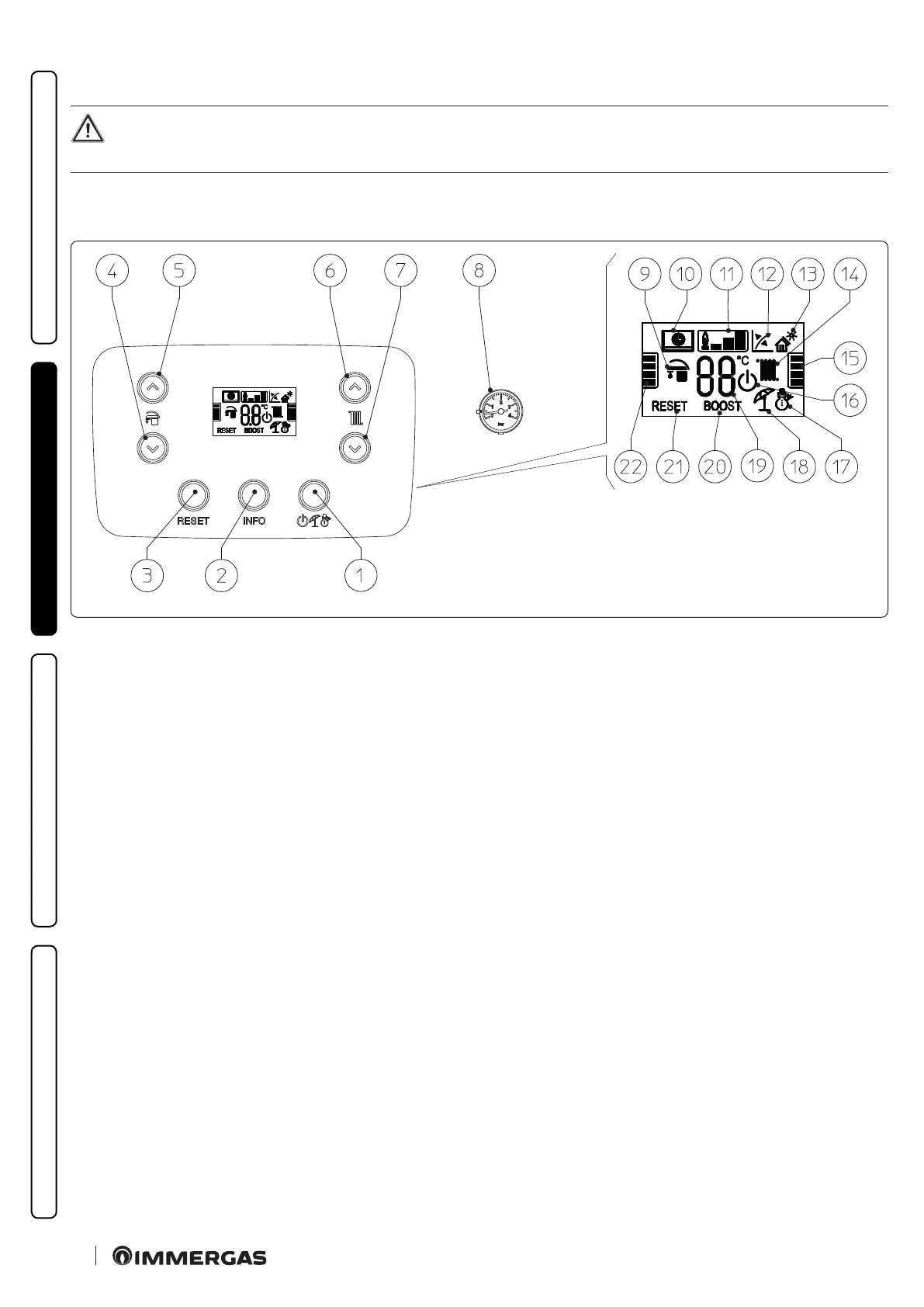
2.3 CONTROL PANEL
39
Key (Fig. 39):
1 - O/Stand-by/Summer/Winter button
2 - Information buttons
3 - Reset Button
4 - Button to reduce the domestic hot water temperature
5 - Button to increase the domestic hot water temperature
6 - Button to increase the system water ow temperature
7 - Button to decrease the system water ow temperature
8 - Boiler manometer
9 - DHW production phase operating mode active
10 - Boiler connected to remote control
V2
(optional) or to other
external devices
11 - Flame presence symbol and relative output scale
12 - Operation with external temperature probe active (optional)
13 - Solar function active
14 - Central heating room mode function active
15 - Central heating temperature level indicator
16 - Boiler in Stand-by mode
17 - Operation in winter mode
18 - Operation in summer mode
19 - Temperature indicator, boiler info and error codes
20 - Not used on this model
21 - Blocked boiler, it needs to be unblocked by pressing the “RE-
SET” button
22 - D.H.W. temperature level indicator



 To Next Page