80
INSTALLER
USERMAINTENANCE TECHNICIAN
TECHNICAL DATA
3.17 CHIMNEY SWEEP
When activated, this function forces the boiler to variable output for 15 minutes.
In this state all adjustments are excluded and only the safety thermostat and the limit thermostat remain active.
54
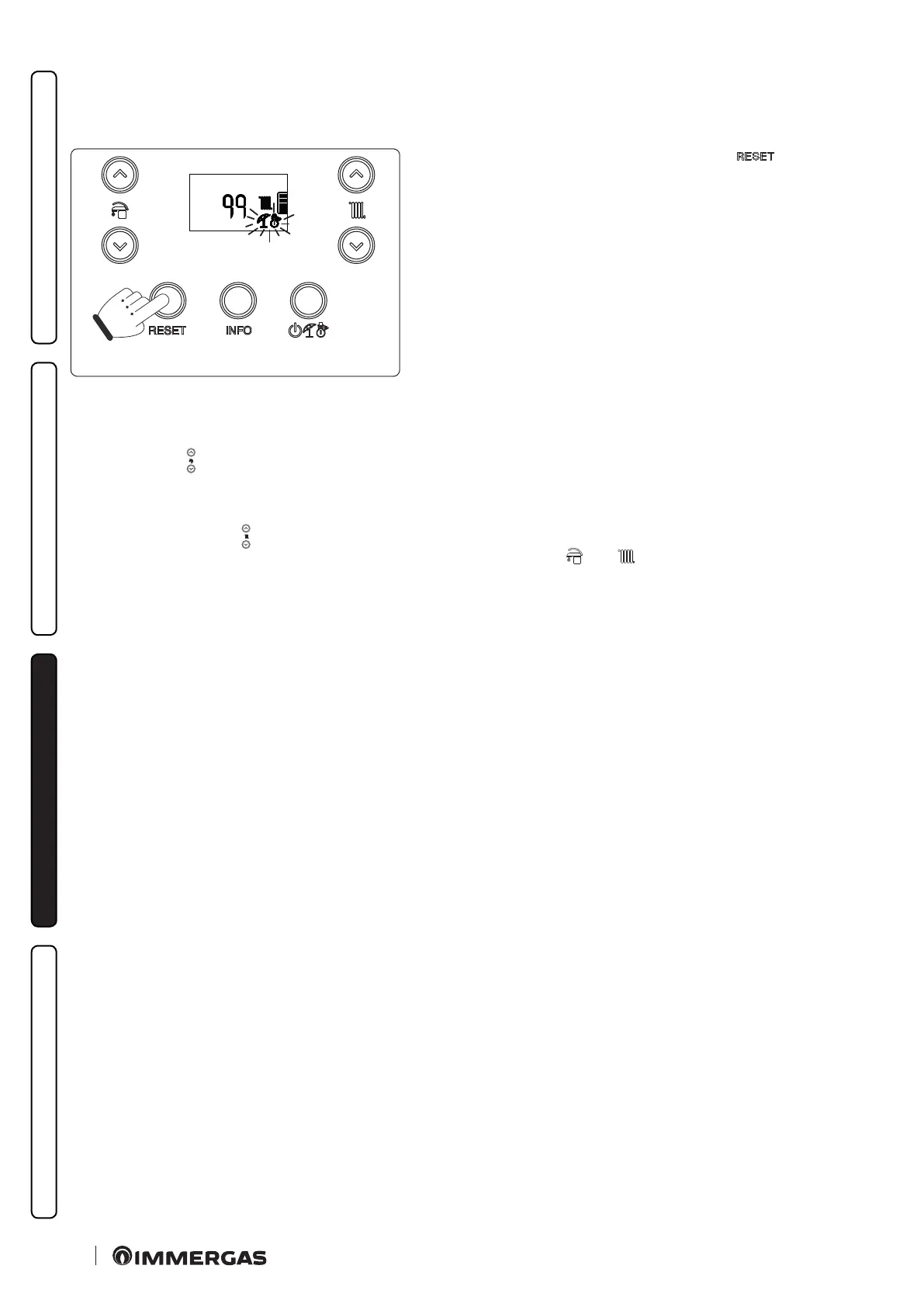
To activate the chimney sweep function, press the “
” button until acti-
vation of the function in the absence of DHW requests.
Its activation on the boiler display is conrmed by the indicators ashing at
the same time (Fig. 39).
is function allows the technician to check the combustion parameters.
Once the function is activated, it is possible to select whether to make the check in CH status or DHW status by opening any hot water
cock.
Using the buttons “
” you can select between three predened power levels:
- “0%”;
- Max CH output (P2);
- Max DHW output (P0).
While by using the buttons “
” you can select the power from 0% to max DHW output (P0), with intervals of 1%.
e central heating or DHW operating mode is displayed by the relative symbols “ ” or “ ”.
Aer the checks, deactivate the function by switching the boiler o and then back on again.



 To Next Page