Chapter8 Communication Function
8-32
2) Parameter setting
(1) Communication Parameter Setting
N Open a new project file from KGLWIN
-MK80S must be selected as PLC type.
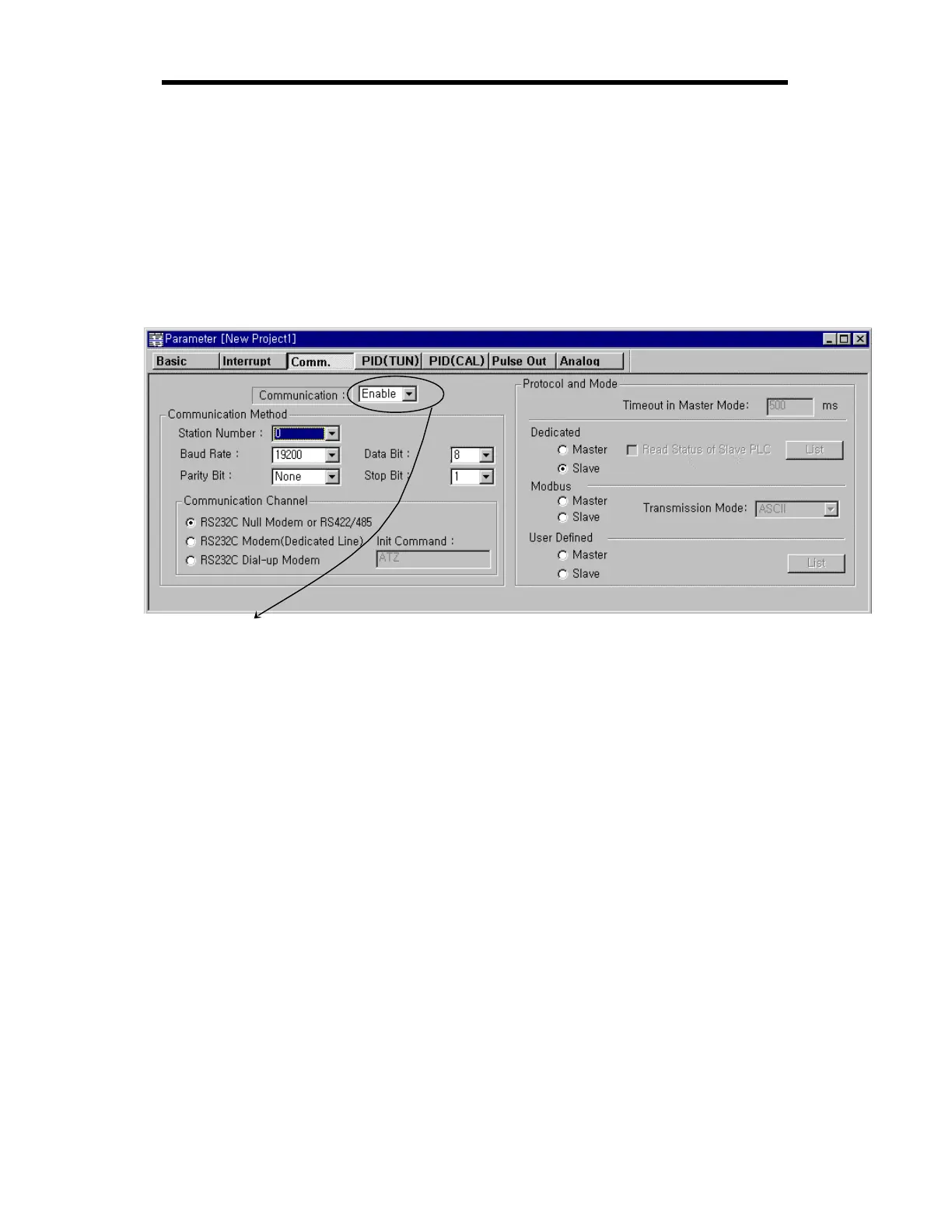
N After selecting communication parameter from KGLWIN and clicking twice, this window comes up.
N To process 1:1 built-in communication between K7's must be set Enabled


 To Next Page