21
NCSP35CM
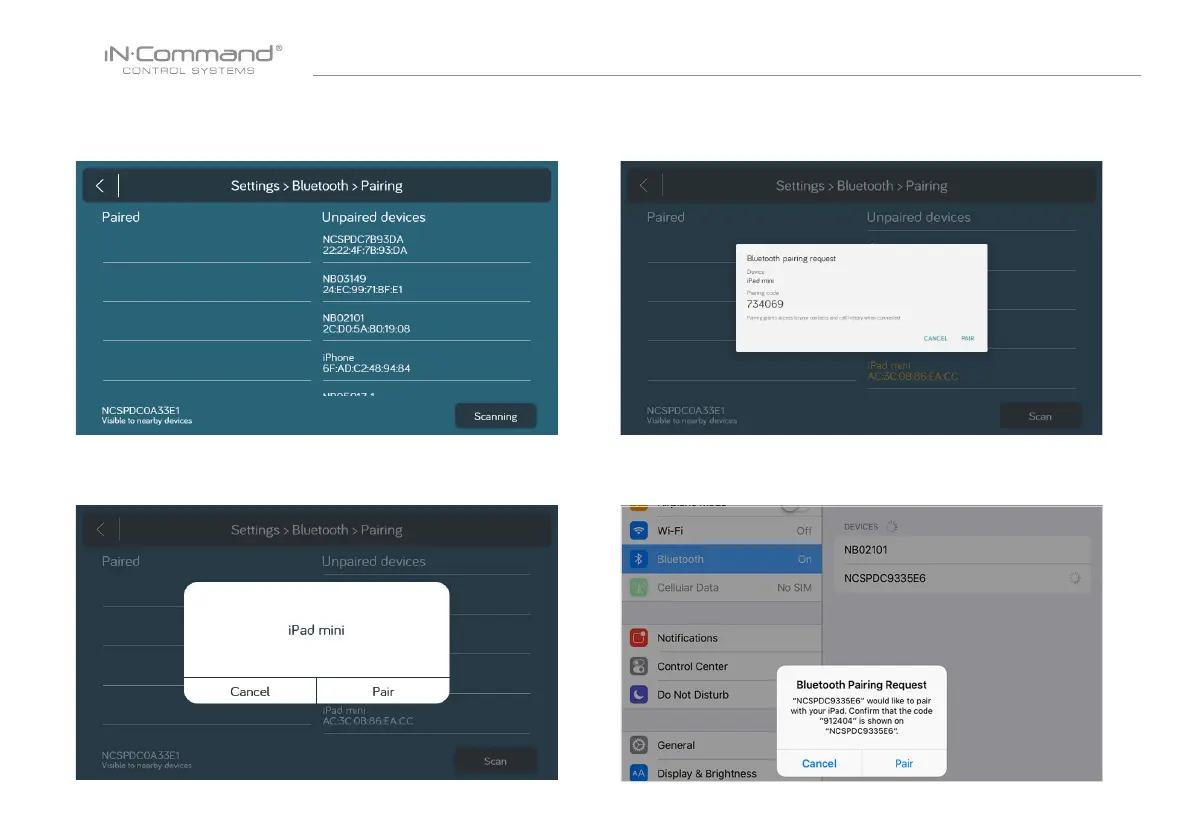
2.3 Press Scan to start scanning for Unpaired devices.
Locate the mobile device in the Unpaired Device list.
Select the device by pressing it.
2.4 A Popup with the device name will apear on the display.
Press "Pair".
2.5 A Bluetooth Pairing request will appear on the DC and mobile device.
2.6 Press "PAIR" on the DC.
2.7 Press "Pair" on the mobile device.


 To Next Page