39
NCSP35CM
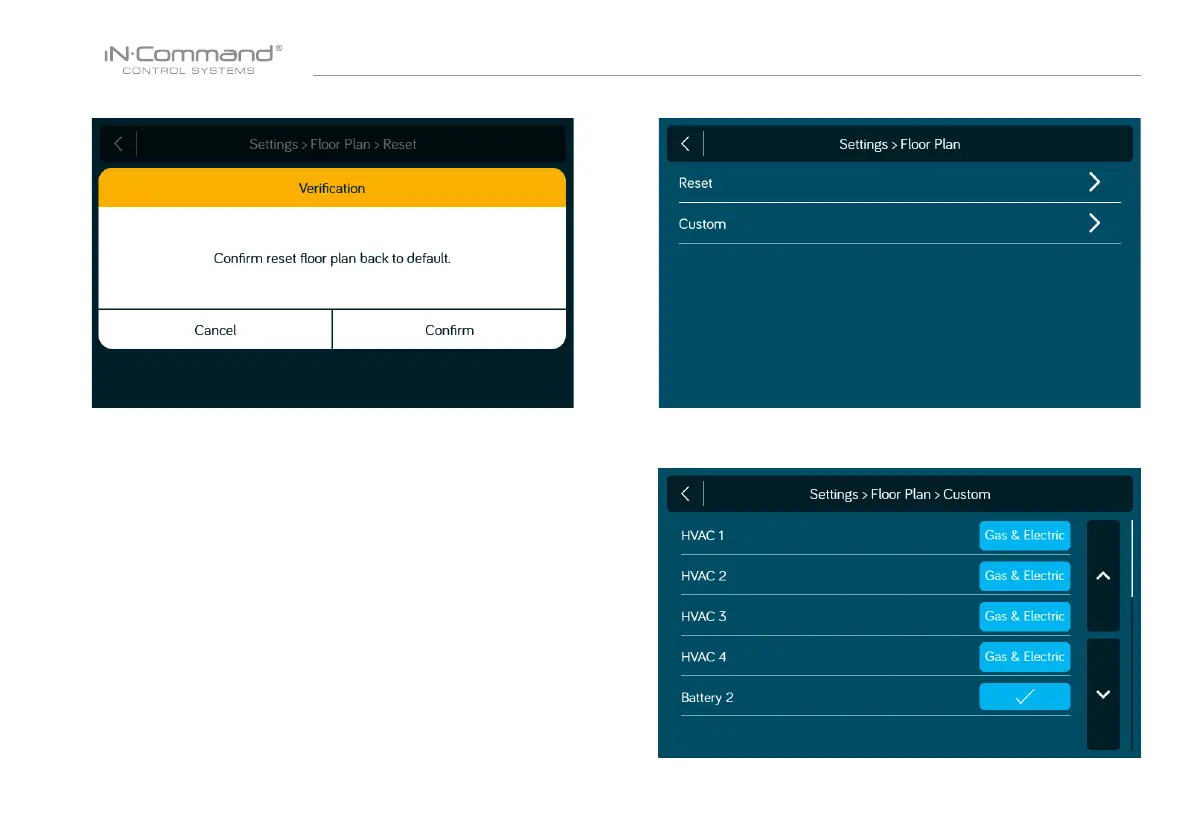
5. Press "Conrm" to reset oor plan back to default or OEM.
The following options are available to customize:
Generator (Off, Gas, Propane)
HVAC 1 (Off, AC Only, Gas, Electric, Gas & Electric)
HVAC 2 (Off, AC Only, Gas, Electric, Gas & Electric)
HVAC 3 (Off, AC Only, Gas, Electric, Gas & Electric)
HVAC 4 (Off, AC Only, Gas, Electric, Gas & Electric)
Battery 2 (Off/On)
Note: Default has options populated according to the oor plan loaded by
OEM. Any populated elds are dark blue.
• Custom*
1. Select the "Custom" in the oor plan / Settings page.
2. Press the box next to the function to turn off, on and cycle
through available options.


 To Next Page