5 Index V4 Embosser manual
© 2015 Index Braille
www.indexbraille.com
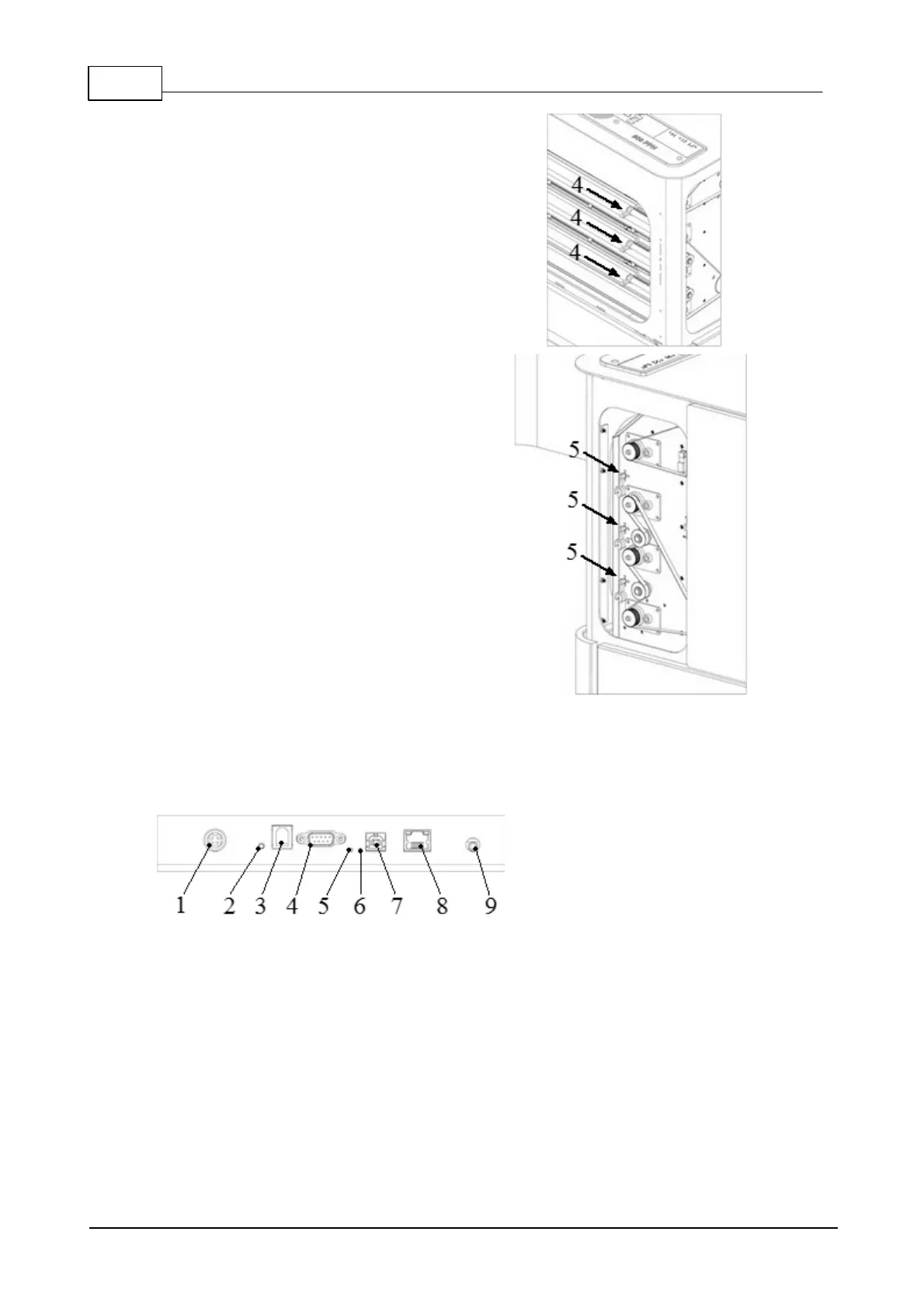
4. Remove three transport locks from
each embossing head axle
5. Store the transport locks on the
holders of the embosser tower. See
picture.
3.2 Electrical connectors
Basic-D and Everest-D
The connectors are located on the back side of the embosser
1. Power input (48V DC)
2. Reset / System reset = 3 seconds reset to factory settings
3. Service serial port
4. Serial port
5. Yellow LED = paper jam sensor on Basic-D (Blinking = OK paper moving)
6. Green LED = paper edge sensor on Basic-D and Everest-D (Lighted = paper in)
7. USB port 2.0
8. Network port with LED (100 MB)
9. Headphone



 To Next Page